Documentation
Everything you need to get started, integrate, and get the most out of Topogy.
Snowflake
Topogy also allows you to integrate with your Snowflake instance to find cost savings opportunities. The following instructions provide information on how to create a secure user along with views to grant Topogy read only access to your Snowflake billing information.
Create RSA Token
In order to securely allow the Topogy application to authenticate with your Snowflake instance, you will first need to generate a RSA token.
Generate private key
openssl genrsa 2048 | openssl pkcs8 -topk8 -inform PEM -out snowflake_topogy_rsa_key.p8 -nocryptGenerate public key
This step requires the private key you created in the previous step:
openssl rsa -in snowflake_topogy_rsa_key.p8 -pubout -out snowflake_topogy_rsa_key.pubYou will need both the public and private key in the steps that follow.
Create Users, Roles, DBs, Warehouses, oh my
Topogy will need to be granted access to run queries against your billing data in Snowflake in order to identify cost savings opportunities. These instructions provide the steps needed to create the correct user, roles, dbs, warehouses, etc. to enable the necessary access.
Open a SQL Worksheet
- Access your Snowflake console. If your account uses Workspaces (the newer default), navigate to Projects → Workspaces and create a new SQL file within your workspace. If you still see Worksheets, navigate to Projects → Worksheets and hit "+" → SQL Worksheet.:
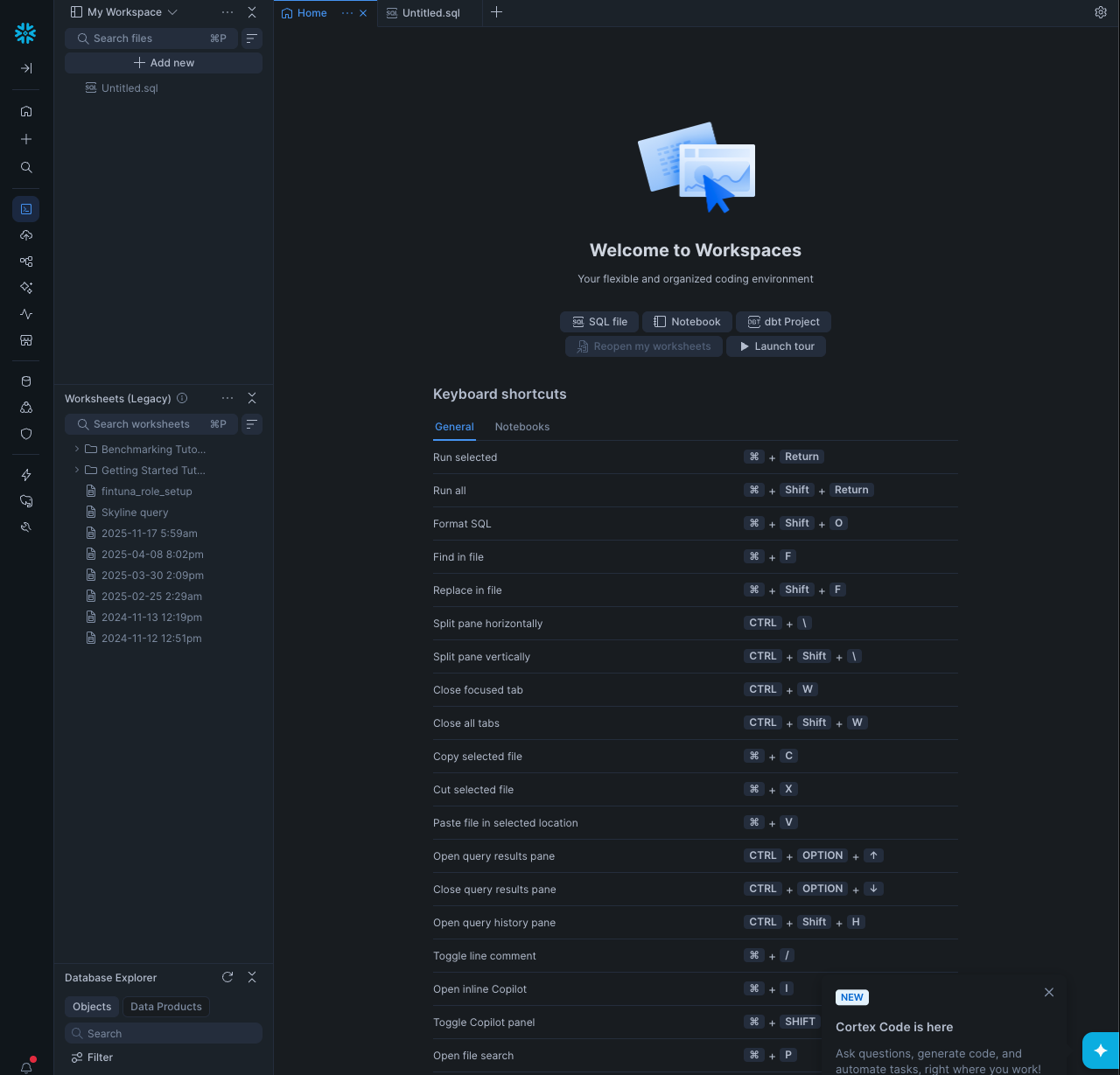
- After hitting the “+” or “SQL file”, you should see a blank screen:
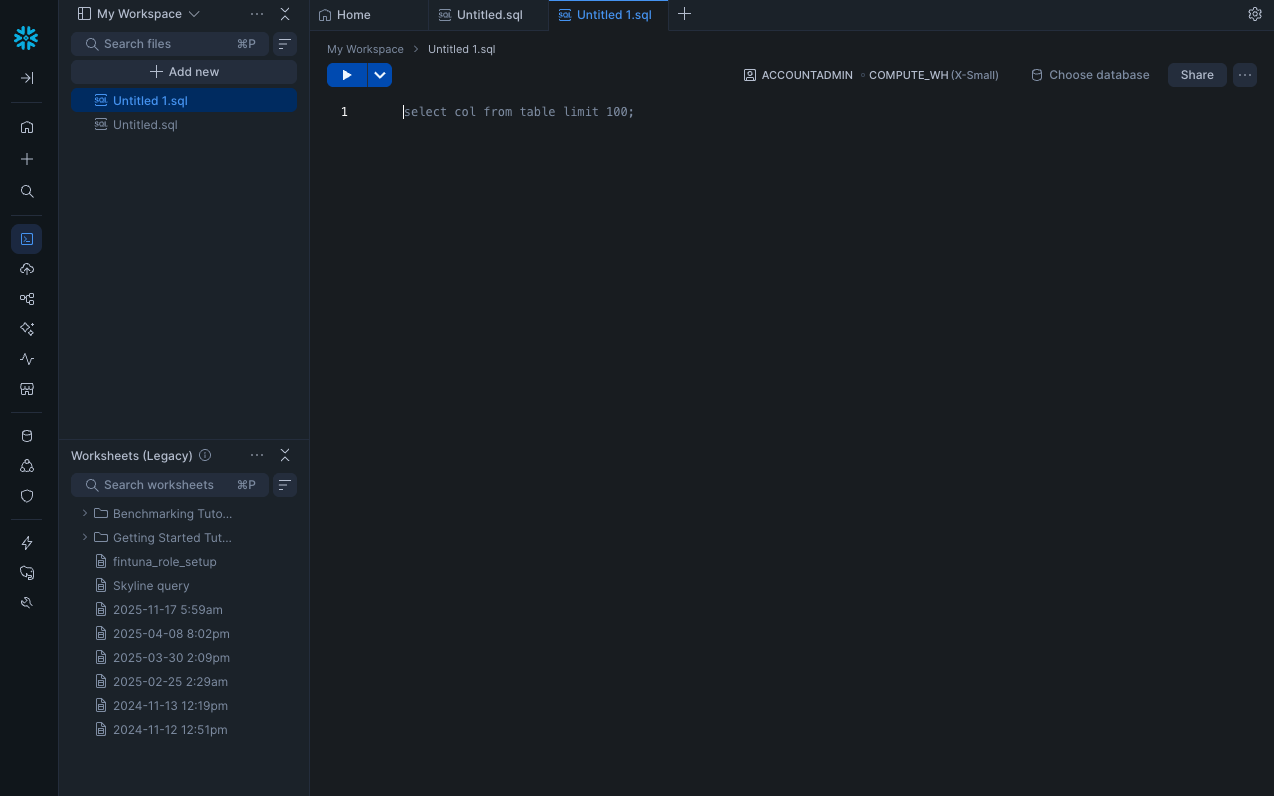
Run setup commands
In your worksheet, enter the following commands:
use role accountadmin;
-- A database to contain Topogy views
create database topogy;
create role topogy;
create user topogy;
grant role topogy to user topogy;
grant role topogy to role accountadmin;
-- Allows Topogy to read warehouse configuration
grant monitor on account to role topogy;
-- Creates a small warehouse that Topogy will use to extract snowflake metrics
create warehouse topogy;
grant all on warehouse topogy to role topogy;
alter user topogy set DEFAULT_WAREHOUSE=topogy, DEFAULT_ROLE=topogy;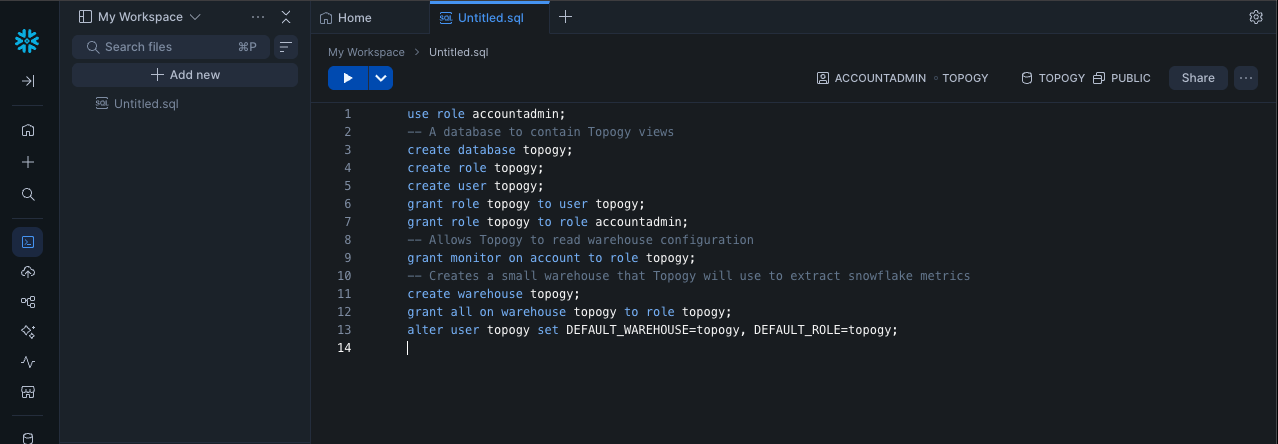
Set the RSA public key
Use your public key generated above (Use the following command to get your key: cat snowflake_topogy_rsa_key.pub | pbcopy):
alter user topogy set rsa_public_key='<Your Public Key Here>';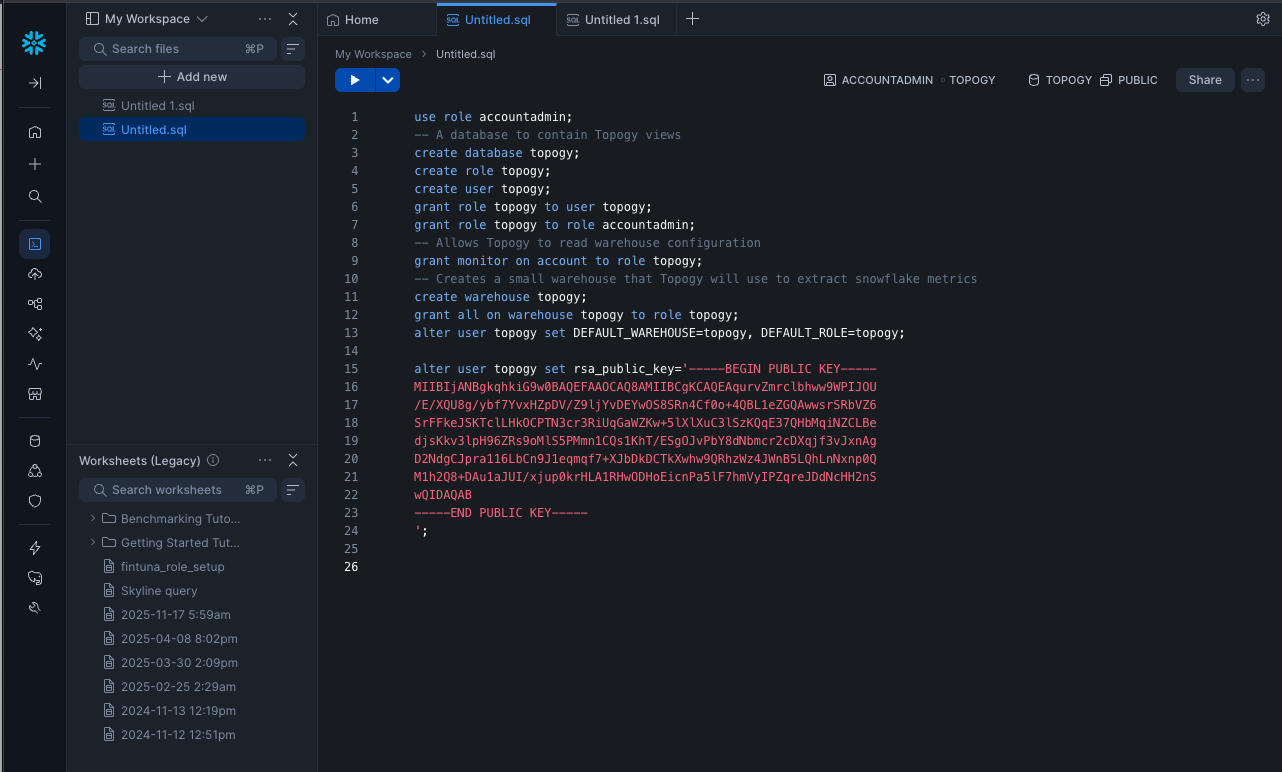
Create Views
Topogy reads your billing and query data through views in TOPOGY.PUBLIC that forward to Snowflake's ACCOUNT_USAGE and ORGANIZATION_USAGE schemas. Snowflake resolves select * at view-creation time and stores the resulting column list as view metadata, so the view does not automatically pick up columns that Snowflake adds to the source views over time. If the source gains columns and the view is never recreated, queries against the view eventually fail with View definition declared N column(s), but view query produces M column(s).
To avoid this, we define the view creation inside a stored procedure that Topogy invokes automatically the first time an ingest query fails with the column-mismatch error. New columns flow through within seconds of the next ingest — no manual intervention required.
Because a stored procedure with execute as owner runs under its creator's privileges, we create a dedicated topogy_admin role to own the procedure rather than creating it as accountadmin. The procedure gets only the privileges it actually needs (create views in the topogy schema, read Snowflake's account usage views); no account-wide admin code runs when Topogy invokes it.
Create the topogy_admin role
use role accountadmin;

create role if not exists topogy_admin;
grant role topogy_admin to role accountadmin;

-- Minimum privileges the refresh procedure needs
grant usage on database topogy to role topogy_admin;
grant usage on schema topogy.public to role topogy_admin;
grant create view, create procedure on schema topogy.public to role topogy_admin;
grant usage, operate on warehouse topogy to role topogy_admin;
-- Lets the procedure SELECT from SNOWFLAKE.ACCOUNT_USAGE / ORGANIZATION_USAGE
grant imported privileges on database snowflake to role topogy_admin;
Grant the topogy role read access
These grants stay with accountadmin. The future views grant applies automatically as the refresh procedure creates each view, and copy grants on every create or replace view preserves the grant across subsequent refreshes — so this block only runs once.
use role accountadmin;

grant usage on database topogy to role topogy;
grant usage on schema topogy.public to role topogy;
grant select on all views in schema topogy.public to role topogy;
grant select on future views in schema topogy.public to role topogy;
Define the refresh procedure and create the views
The procedure is created under topogy_admin so its owner — and therefore the identity every call refresh_views() runs under — is the least-privilege role.
use role topogy_admin;
use warehouse topogy;

create or replace procedure topogy.public.refresh_views()
  returns string
  language sql
  execute as owner
as
$$
begin
  create or replace view TOPOGY.PUBLIC.QUERY_HISTORY                       copy grants as select * from SNOWFLAKE.ACCOUNT_USAGE.QUERY_HISTORY;
  create or replace view TOPOGY.PUBLIC.QUERY_ATTRIBUTION_HISTORY           copy grants as select * from SNOWFLAKE.ACCOUNT_USAGE.QUERY_ATTRIBUTION_HISTORY;
  create or replace view TOPOGY.PUBLIC.WAREHOUSE_METERING_HISTORY          copy grants as select * from SNOWFLAKE.ORGANIZATION_USAGE.WAREHOUSE_METERING_HISTORY;
  create or replace view TOPOGY.PUBLIC.WAREHOUSE_EVENTS_HISTORY            copy grants as select * from SNOWFLAKE.ACCOUNT_USAGE.WAREHOUSE_EVENTS_HISTORY;
  create or replace view TOPOGY.PUBLIC.WAREHOUSE_LOAD_HISTORY              copy grants as select * from SNOWFLAKE.ACCOUNT_USAGE.WAREHOUSE_LOAD_HISTORY;
  create or replace view TOPOGY.PUBLIC.USAGE_IN_CURRENCY_DAILY             copy grants as select * from SNOWFLAKE.ORGANIZATION_USAGE.USAGE_IN_CURRENCY_DAILY;
  create or replace view TOPOGY.PUBLIC.ACCOUNT_WAREHOUSE_METERING_HISTORY  copy grants as select * from SNOWFLAKE.ACCOUNT_USAGE.WAREHOUSE_METERING_HISTORY;
  create or replace view TOPOGY.PUBLIC.APPLICATION_DAILY_USAGE_HISTORY     copy grants as select * from SNOWFLAKE.ACCOUNT_USAGE.APPLICATION_DAILY_USAGE_HISTORY;
  create or replace view TOPOGY.PUBLIC.DATABASE_STORAGE_USAGE_HISTORY      copy grants as select * from SNOWFLAKE.ORGANIZATION_USAGE.DATABASE_STORAGE_USAGE_HISTORY;
  create or replace view TOPOGY.PUBLIC.DATA_TRANSFER_HISTORY               copy grants as select * from SNOWFLAKE.ORGANIZATION_USAGE.DATA_TRANSFER_HISTORY;
  create or replace view TOPOGY.PUBLIC.STORAGE_DAILY_HISTORY               copy grants as select * from SNOWFLAKE.ORGANIZATION_USAGE.STORAGE_DAILY_HISTORY;
  create or replace view TOPOGY.PUBLIC.DOCUMENT_AI_USAGE_HISTORY           copy grants as select * from SNOWFLAKE.ACCOUNT_USAGE.DOCUMENT_AI_USAGE_HISTORY;
  create or replace view TOPOGY.PUBLIC.SERVERLESS_TASK_HISTORY             copy grants as select * from SNOWFLAKE.ACCOUNT_USAGE.SERVERLESS_TASK_HISTORY;
  return 'Topogy views refreshed';
end;
$$;

-- Initial view creation. The `future views` grant from the previous step
-- auto-applies SELECT to the `topogy` role as each view is created.
call topogy.public.refresh_views();
Allow the topogy role to invoke the refresh procedure
This grant lets Topogy call refresh_views() the moment an ingest query hits a schema-drift error, so new upstream columns are picked up within seconds. Because the procedure uses execute as owner, the call still runs under topogy_admin's privileges — this grant only conveys the right to invoke it.
use role accountadmin;

grant usage on procedure topogy.public.refresh_views() to role topogy;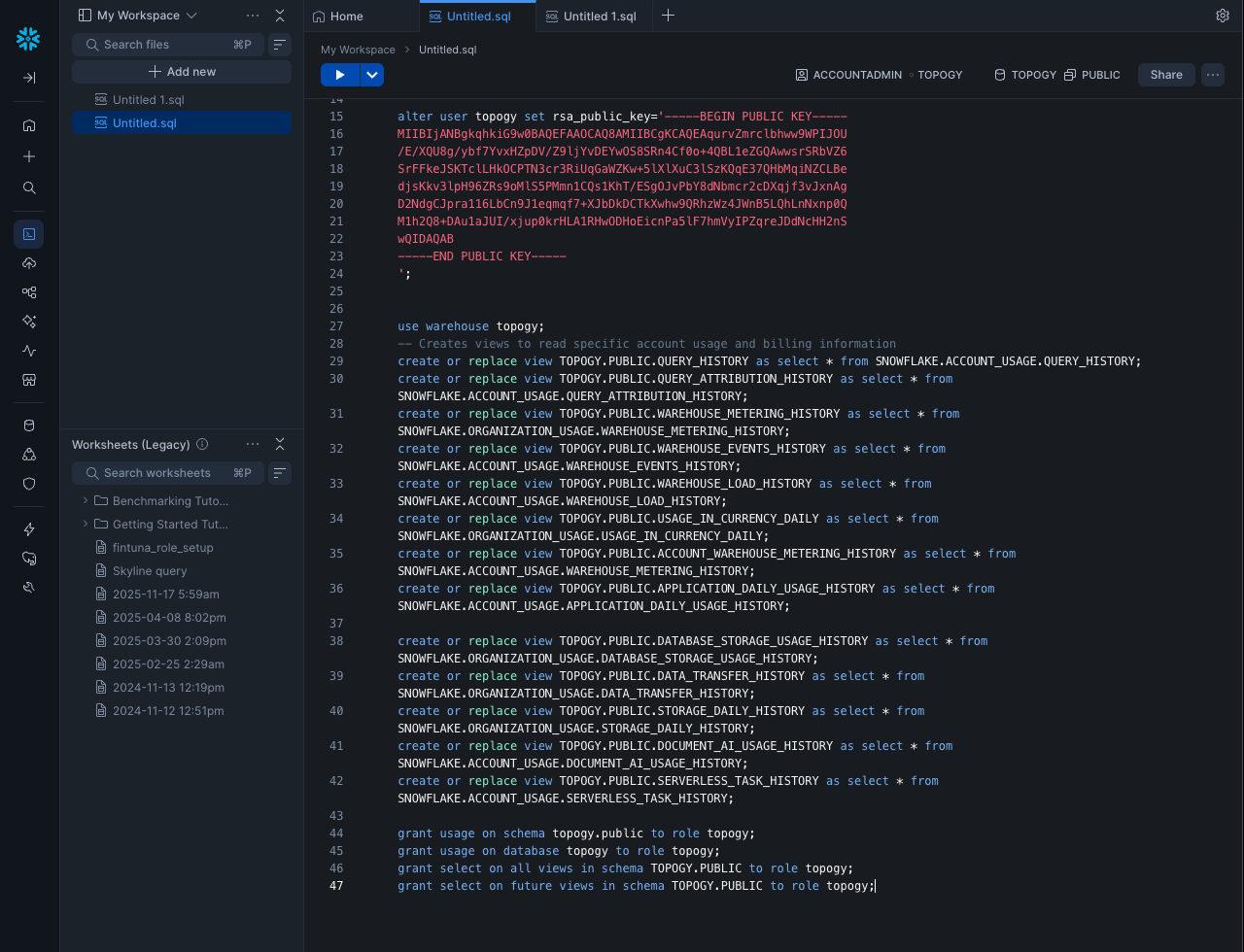
Migrating an Existing Integration
If you set up your Topogy integration before the refresh procedure was introduced, your views don't automatically pick up new columns that Snowflake adds upstream — a query will eventually fail with View definition declared N column(s), but view query produces M column(s). Run the blocks below once to add the topogy_admin role, the refresh_views() procedure, and the grant that lets Topogy invoke the procedure on drift.
Existing integrations were provisioned with a database, role, and warehouse all named finte, so the SQL is written against those names — copy and run as-is. If your setup uses different names, substitute them throughout. Skip this section entirely if you are setting up a new integration — the steps above already cover it.
Run the migration
use role accountadmin;

-- 1. Create the least-privilege admin role that will own the procedure.
create role if not exists topogy_admin;
grant role topogy_admin to role accountadmin;

grant usage on database finte to role topogy_admin;
grant usage on schema finte.public to role topogy_admin;
grant create view, create procedure on schema finte.public to role topogy_admin;
grant usage, operate on warehouse finte to role topogy_admin;
grant imported privileges on database snowflake to role topogy_admin;

-- 2. Make sure future views created by the refresh procedure are readable by
--    the Topogy role. `create or replace view ... copy grants` preserves grants
--    on views that already exist, but the procedure may create views you don't
--    have yet, so add the future-views grant as a safety net.
grant select on future views in schema finte.public to role finte;

-- 3. Transfer ownership of the existing views to topogy_admin. The procedure
--    runs as topogy_admin (execute as owner) and uses `create or replace
--    view`, which requires ownership of the target object. Without this
--    transfer, the initial `call refresh_views()` in the next block fails
--    with "View ... already exists, but current role has no privileges on
--    it." `copy current grants` preserves the existing select grant to
--    role finte, so Topogy keeps its read access.
grant ownership on all views in schema finte.public to role topogy_admin copy current grants;use role topogy_admin;
use warehouse finte;
-- 4. Define the refresh procedure. `execute as owner` means invocations run
-- under topogy_admin's privileges regardless of who calls it.
create or replace procedure finte.public.refresh_views()
returns string
language sql
execute as owner
as
$$
begin
create or replace view finte.PUBLIC.QUERY_HISTORY copy grants as select * from SNOWFLAKE.ACCOUNT_USAGE.QUERY_HISTORY;
create or replace view finte.PUBLIC.QUERY_ATTRIBUTION_HISTORY copy grants as select * from SNOWFLAKE.ACCOUNT_USAGE.QUERY_ATTRIBUTION_HISTORY;
create or replace view finte.PUBLIC.WAREHOUSE_METERING_HISTORY copy grants as select * from SNOWFLAKE.ORGANIZATION_USAGE.WAREHOUSE_METERING_HISTORY;
create or replace view finte.PUBLIC.WAREHOUSE_EVENTS_HISTORY copy grants as select * from SNOWFLAKE.ACCOUNT_USAGE.WAREHOUSE_EVENTS_HISTORY;
create or replace view finte.PUBLIC.WAREHOUSE_LOAD_HISTORY copy grants as select * from SNOWFLAKE.ACCOUNT_USAGE.WAREHOUSE_LOAD_HISTORY;
create or replace view finte.PUBLIC.USAGE_IN_CURRENCY_DAILY copy grants as select * from SNOWFLAKE.ORGANIZATION_USAGE.USAGE_IN_CURRENCY_DAILY;
create or replace view finte.PUBLIC.ACCOUNT_WAREHOUSE_METERING_HISTORY copy grants as select * from SNOWFLAKE.ACCOUNT_USAGE.WAREHOUSE_METERING_HISTORY;
create or replace view finte.PUBLIC.APPLICATION_DAILY_USAGE_HISTORY copy grants as select * from SNOWFLAKE.ACCOUNT_USAGE.APPLICATION_DAILY_USAGE_HISTORY;
create or replace view finte.PUBLIC.DATABASE_STORAGE_USAGE_HISTORY copy grants as select * from SNOWFLAKE.ORGANIZATION_USAGE.DATABASE_STORAGE_USAGE_HISTORY;
create or replace view finte.PUBLIC.DATA_TRANSFER_HISTORY copy grants as select * from SNOWFLAKE.ORGANIZATION_USAGE.DATA_TRANSFER_HISTORY;
create or replace view finte.PUBLIC.STORAGE_DAILY_HISTORY copy grants as select * from SNOWFLAKE.ORGANIZATION_USAGE.STORAGE_DAILY_HISTORY;
create or replace view finte.PUBLIC.DOCUMENT_AI_USAGE_HISTORY copy grants as select * from SNOWFLAKE.ACCOUNT_USAGE.DOCUMENT_AI_USAGE_HISTORY;
create or replace view finte.PUBLIC.SERVERLESS_TASK_HISTORY copy grants as select * from SNOWFLAKE.ACCOUNT_USAGE.SERVERLESS_TASK_HISTORY;
return 'Topogy views refreshed';
end;
$$;
-- 5. Run it once to bring all views in sync with the current upstream schema.
call finte.public.refresh_views();use role accountadmin;
-- 6. Let the Topogy role invoke the procedure. With `execute as owner`, the
-- procedure still runs under topogy_admin's privileges — this grant only
-- conveys the right to call it.
grant usage on procedure finte.public.refresh_views() to role finte;Once this block has run, Topogy will auto-refresh your views the first time it hits a drift error. No changes to your existing RSA key, user, or integration credentials are required.
Network Policy (Optional)
If your Snowflake account uses a network policy to restrict access, you will need to allow traffic from Topogy's IP address. Skip this section if you do not have a network policy configured.
Create a dedicated network policy for the topogy user
CREATE NETWORK POLICY and ALTER USER are account-level operations that topogy_admin intentionally cannot perform — switch back to accountadmin for this section.
USE ROLE accountadmin;

CREATE NETWORK RULE TOPOGY.PUBLIC.topogy_ingress
  TYPE = IPV4
  VALUE_LIST = ('34.57.88.170/32')
  MODE = INGRESS
  COMMENT = 'Topogy integration IP';

CREATE NETWORK POLICY topogy_network_policy
  ALLOWED_NETWORK_RULE_LIST = ('TOPOGY.PUBLIC.topogy_ingress');

ALTER USER topogy SET NETWORK_POLICY = topogy_network_policy;
Authentication Policy (Optional)
If your Snowflake account uses an authentication policy, it must allow the KEYPAIR authentication method — Topogy authenticates using the RSA key pair you created above. A policy that omits KEYPAIR will reject Topogy with error 390202: Authentication attempt rejected by the current authentication policy. Skip this section if you do not have an authentication policy configured.
Create a dedicated authentication policy for the topogy user
User-level authentication policies take precedence over account-level policies in Snowflake, so attaching a dedicated policy to topogy ensures Topogy can authenticate regardless of your account-level settings. Like the network policy, this requires accountadmin.
USE ROLE accountadmin;

CREATE AUTHENTICATION POLICY topogy_auth_policy
  AUTHENTICATION_METHODS = ('KEYPAIR');

ALTER USER topogy SET AUTHENTICATION POLICY topogy_auth_policy;
Create Topogy Integration
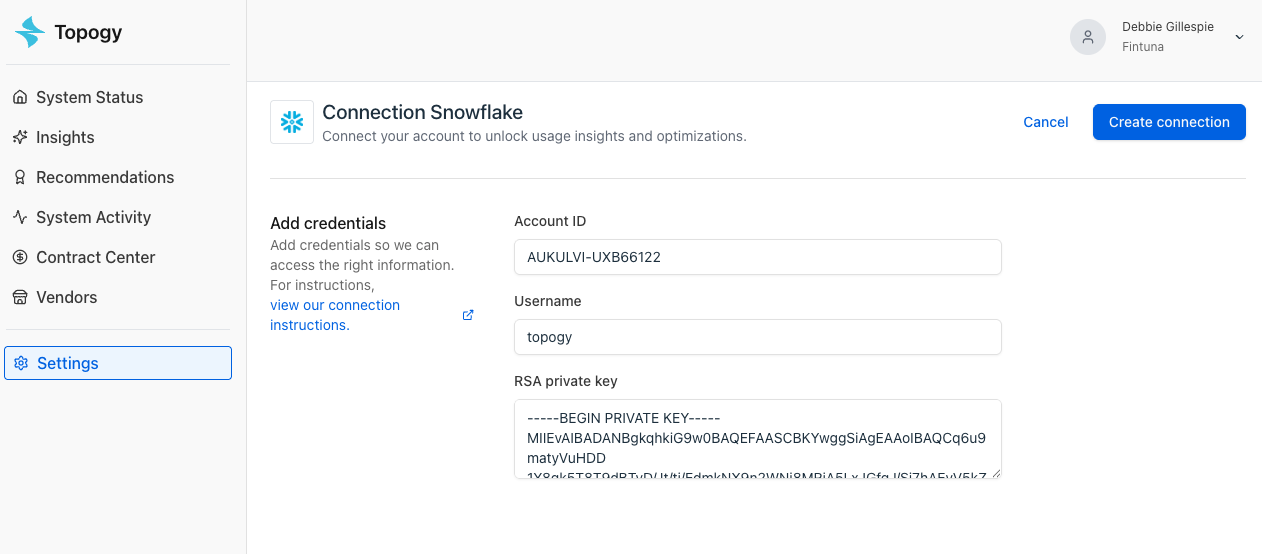
In order to create the Topogy Integration, you will need the account name, username, and private key.
Account Name
To find your account name, run the following query:
SELECT CURRENT_ORGANIZATION_NAME() || '-' || CURRENT_ACCOUNT_NAME();Username
This is the name of the user you created in Snowflake. It should be topogy unless you deviated from the instructions.
Private Key
This is the key you created previously. The following command ensures you do not introduce line break issues:
cat snowflake_topogy_rsa_key.p8 | pbcopyEnter these values into the Topogy integration page: