Documentation
Everything you need to get started, integrate, and get the most out of Topogy.
Claude Code
Topogy receives Claude Code usage telemetry directly via OpenTelemetry. Once your developers add a small environment block to their Claude Code settings, every session streams usage data to Topogy in near real time — no agent to install and nothing to run on your side.
This is the companion to the Claude Enterprise integration: telemetry is per-event and immediate, while the Enterprise Analytics connection provides org-wide daily history. Most organizations run both.
Setting up
-
In Topogy, go to Settings → Integrations and choose Claude Code. Topogy creates the integration and generates an ingestion token for your organization.
-
The integration window shows a ready-to-paste settings snippet containing your token and telemetry endpoint:
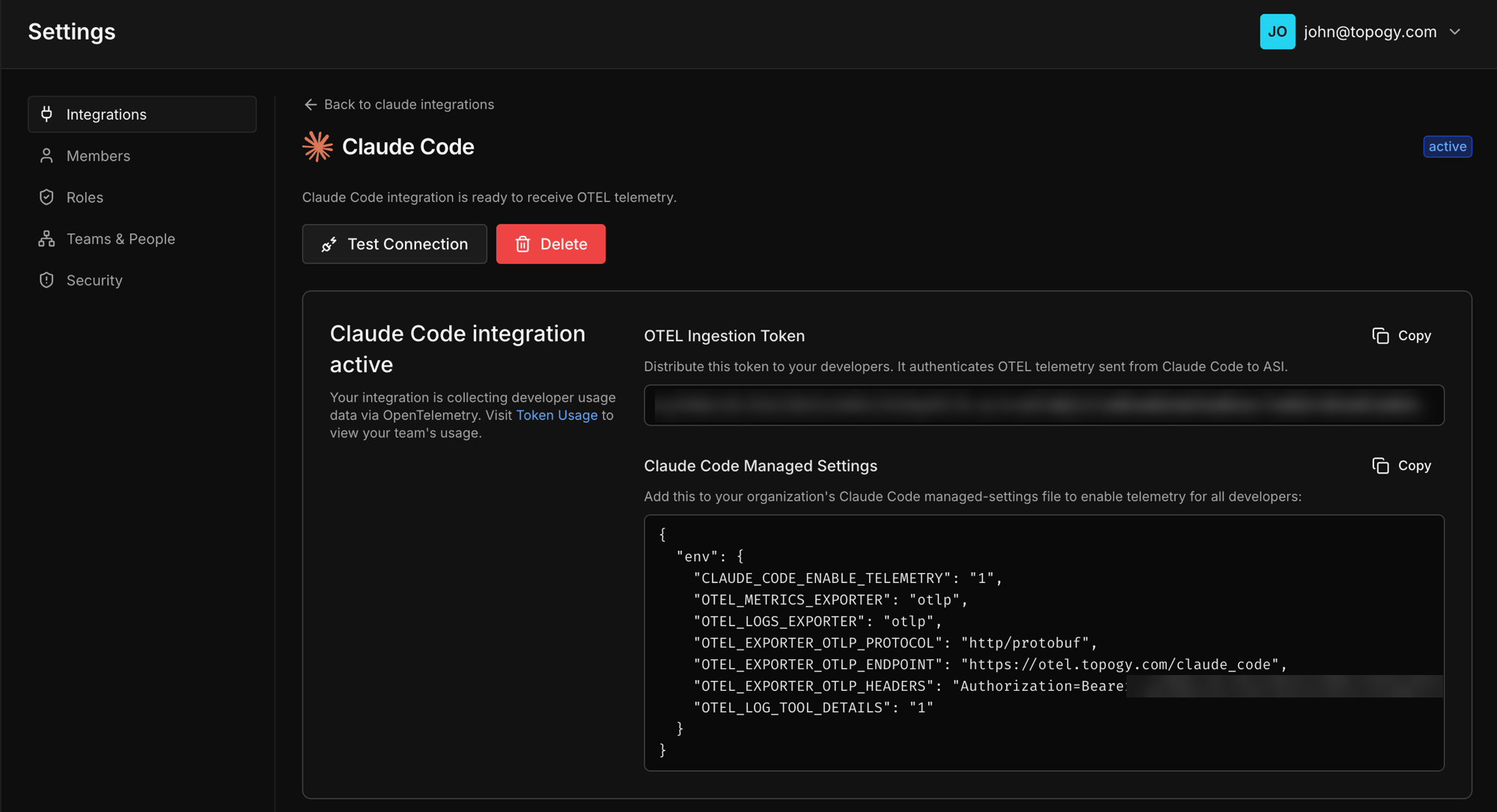
- Each developer pastes the
envblock into their Claude Code settings at~/.claude/settings.json. If the file already has anenvsection, merge the keys into it. The snippet looks like this (use the one from your integration window — it contains your organization's token and endpoint):
{
  "env": {
    "CLAUDE_CODE_ENABLE_TELEMETRY": "1",
    "OTEL_METRICS_EXPORTER": "otlp",
    "OTEL_LOGS_EXPORTER": "otlp",
    "OTEL_EXPORTER_OTLP_PROTOCOL": "http/protobuf",
    "OTEL_EXPORTER_OTLP_ENDPOINT": "https://otel.topogy.com/claude_code",
    "OTEL_EXPORTER_OTLP_HEADERS": "Authorization=Bearer <your-ingestion-token>",
    "OTEL_LOG_TOOL_DETAILS": "1"
  }
}- That's it. Telemetry begins flowing the next time each developer starts a Claude Code session.
To roll the configuration out org-wide instead of per-developer, deploy the same env block through Claude Code's managed settings — see Anthropic's monitoring documentation for the managed-settings mechanism and the full list of telemetry controls.
Treat the ingestion token like a password: it authorizes writing telemetry into your Topogy organization.
What data Topogy receives
Claude Code's telemetry is documented by Anthropic in Monitoring usage. With the configuration above, Topogy receives:
- Session activity — session identifiers, the model used, token counts, and cost estimates.
- Productivity events — lines of code changed, commits, and pull requests created through Claude Code.
- Tool events — which tools each session invoked: Bash commands, file edits, MCP servers and their tools, subagents, and skills. This is the richest part of the stream and powers the tool-level dashboards below.
What Topogy does with it
- Session extraction — raw events are rolled up into sessions: what was worked on, which branches and ticket references appeared, which files were edited.
- Analysis and correlation — sessions are linked to the pull requests they produced and grouped into features, so you can see AI-assisted work end to end: from the Claude Code session, to the PR, to the shipped change.
- Dashboards — org-wide token usage and cost, per-developer activity, and a Tool Usage view that breaks down which tools sessions invoke (Bash commands by verb, MCP servers, subagent types, skills).
Sensitive data: filtering and review
Tool telemetry can contain fragments of whatever your developers were working on, so Topogy scans every incoming payload for credential and PII patterns before anything is stored:
- Matches are replaced with a
<REDACTED:type>placeholder at ingestion — raw secrets never land in Topogy's database. - The built-in catalog covers 50 patterns across cloud credentials, VCS/CI tokens, AI provider keys, payment keys, communication and SaaS tokens, private keys, and PII (credit cards, SSNs, IBANs).
- On Topogy's Security page you can browse every detection (redacted context only — never the secret itself), and add your own custom patterns to filter anything specific to your organization.
This runs server-side as defense in depth, on top of whatever controls you set in Claude Code itself — Anthropic's monitoring documentation describes the client-side telemetry settings if you want to reduce what leaves your developers' machines in the first place.
For help during setup, reach out to your Topogy contact or email support@topogy.com.