Documentation
Everything you need to get started, integrate, and get the most out of Topogy.
Jira
Topogy connects to Jira to bring your planning artifacts into the same picture as your code and agent activity. Issues, priorities, and status changes are correlated with the code changes and AI sessions that deliver them, so you can see how work moves from a ticket to a shipped change — and how much of that work AI contributed to.
Prerequisites
Any Topogy user with the Integrations write privilege can connect Jira. This isn't specific to Jira — it's the same privilege required to add or manage any integration, so check your role under Topogy's Settings → Roles if the Connect button isn't available to you.
Connecting Jira
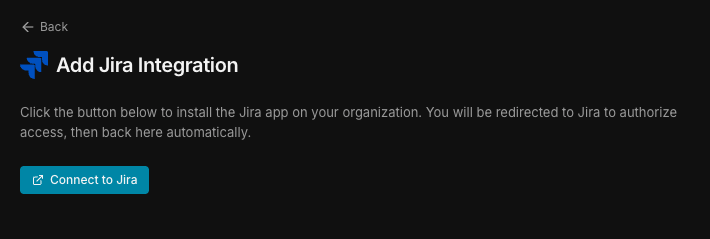
- In Topogy, go to Settings → Integrations and choose Jira, then click Connect to Jira.
-
Authorize the connection through Atlassian's OAuth screen.
-
Once authorized, Topogy shows the Jira site and the projects available within it. Deselect any you don't want included — deselected projects are excluded from ingestion, and their issues are never pulled into Topogy. You can revisit this screen at any time from Settings → Integrations → Jira to change which projects are enabled.
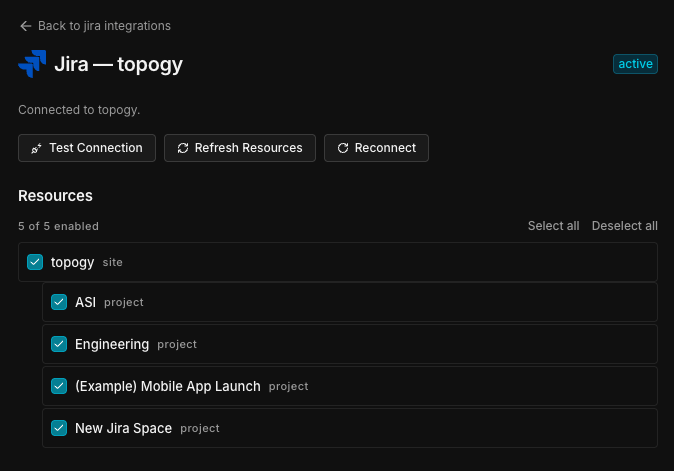
- Save your selection. Topogy begins syncing issues from the included projects.
What Topogy receives
For each issue in an included project, Topogy captures its summary, description, key, priority, and due date; status transitions (e.g. moving to in review or done); relations such as blocks and is blocked by; and labels.
What Topogy does with it
Issues are correlated with the code changes and agent sessions that reference them, so you can trace a feature from its Jira issue through to the pull requests and AI-assisted work that delivered it — and understand how much of that delivery AI played a role in.
For help during setup, reach out to your Topogy contact or email support@topogy.com.