Documentation
Everything you need to get started, integrate, and get the most out of Topogy.
Topogy Router
The Topogy Router brings your team's engineering workflow into every Claude Code session. It recognizes the moments in a piece of work — touching a database migration, changing a frontend component, writing a PRD, committing to a protected branch — and hands Claude the guidance your team wrote for that moment, right before Claude acts. Guidance comes from your organization's library, which Topogy builds and maintains with you.
The router installs as a Claude Code plugin. A Claude administrator can turn it on for your whole organization with one paste, or a developer can install it for themselves.
What it does
Your library defines a playbook: a set of moments, each with a trigger describing the work it covers and the guidance that applies. When a session starts, the router gives Claude the playbook. From there:
-
Claude loads guidance before it acts. When a trigger matches what Claude is about to do, Claude asks the router for that moment's guidance and follows it. Guidance is scoped, so a backend change and a frontend change in the same repository get different, relevant instructions.
-
Gates back it up. If Claude starts a matching change without loading the guidance — an edit, a shell command, a commit — the router can stop that tool call and tell Claude what to load first. Some moments can always gate, such as committing before the checks your library requires.
-
You can see it working. Each time guidance loads, Claude starts its reply with a marker naming it, for example:
⟐ Router loaded: Frontend components — use the shared design tokens; no inline colors.
Apart from any rules your library applies when a session starts, guidance loads only when the work calls for it.
Overriding the router
You stay in control. Say these to Claude in any session:
| Say | Effect |
|---|---|
router: off | Lifts every gate for the session. |
router: on | Restores the gates. |
If your library sets a skip phrase for a moment, saying it skips just that moment. Overrides last for the current session only.
Prerequisites
- Claude Code 2.1.224 or later. Check with
claude --version. - macOS or Linux. Windows is not yet supported.
python3on yourPATH. The router's hooks are Python scripts with no other dependencies. Check withwhich python3.- You're on your organization's router list. The router only guides the people your organization has added on the Topogy Router page in the Topogy app. Anyone else who installs it gets nothing from it until they're added.
- Read access to your library on GitHub. Your library lives in a private repository in Topogy's
topogy-marketplacesGitHub organization. Your Topogy contact invites each developer's GitHub account; accept the invitation from your email or from github.com/orgs/topogy-marketplaces/invitation.
Get your setup from the Topogy app. Open the Topogy Router page in the Topogy app (currently labeled Skills Router under Settings). Its install section has the managed settings and the individual install commands for your organization, with your marketplace, library and repository URL already filled in, and a button to copy them. It appears once Topogy has published your library for the first time. If you can't open the page, ask your Topogy administrator to send you the commands.
Set up GitHub access
Claude Code fetches your library with git on each developer's machine and never prompts for a password or passphrase. Each developer sets up one of these, then confirms it works using the SSH or HTTPS repository URL shown on the Topogy Router page:
- SSH: your GitHub SSH key is loaded in
ssh-agent.
git ls-remote <ssh-repository-url>- HTTPS: git has your GitHub credentials stored, for example from the GitHub CLI (
gh auth login, thengh auth setup-git).
git ls-remote <https-repository-url>Either command lists the repository's branches when access works.
Install in Claude Code
There are two ways to install. On the Topogy Router page, choose Managed settings or Individual developer, then SSH or HTTPS to match how your developers authenticate, and copy what it shows.
Managed settings (whole organization)
One paste by a Claude administrator turns the router on for every Claude Code user in your Claude organization. Developers can't turn it off.
- In claude.ai, go to Organization settings → Claude Code → Managed settings. You need the Owner or Primary Owner role.
- Copy the managed settings from the Topogy Router page and paste them in. If managed settings already exist, add the new entries inside your existing
extraKnownMarketplacesandenabledPluginsrather than adding them a second time. - Save.
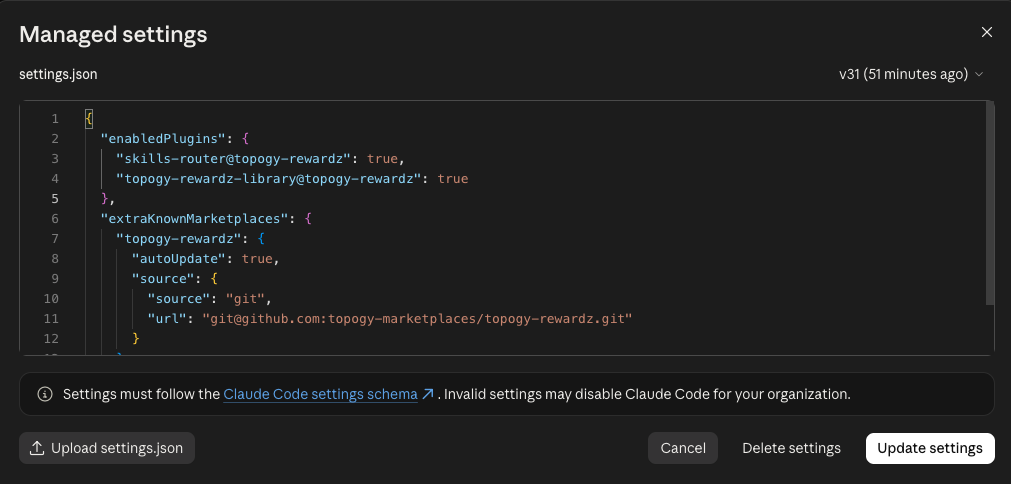
- The settings apply to everyone in your Claude organization the next time they start Claude Code. Each of them needs read access to the GitHub repository first, or the marketplace fails to load for them.
- Managed settings need a Claude Team or Enterprise plan, and only reach people signed in with their Claude account, not a Console API key or a third-party provider such as Bedrock or Vertex.
- The settings turn on auto-update, so the library and router stay current automatically.
If some developers use SSH and others HTTPS, use the SSH URL and have the HTTPS developers run this once, so git fetches Topogy's repositories over HTTPS on their machine:
git config --global url."https://github.com/topogy-marketplaces/".insteadOf "git@github.com:topogy-marketplaces/"Individual developer
A developer installs the router for themselves from inside Claude Code. Nobody else is affected.
- Copy the two
/plugincommands from the Topogy Router page and run them in Claude Code. The first adds your organization's marketplace; the second installs your library, which also installs the router.
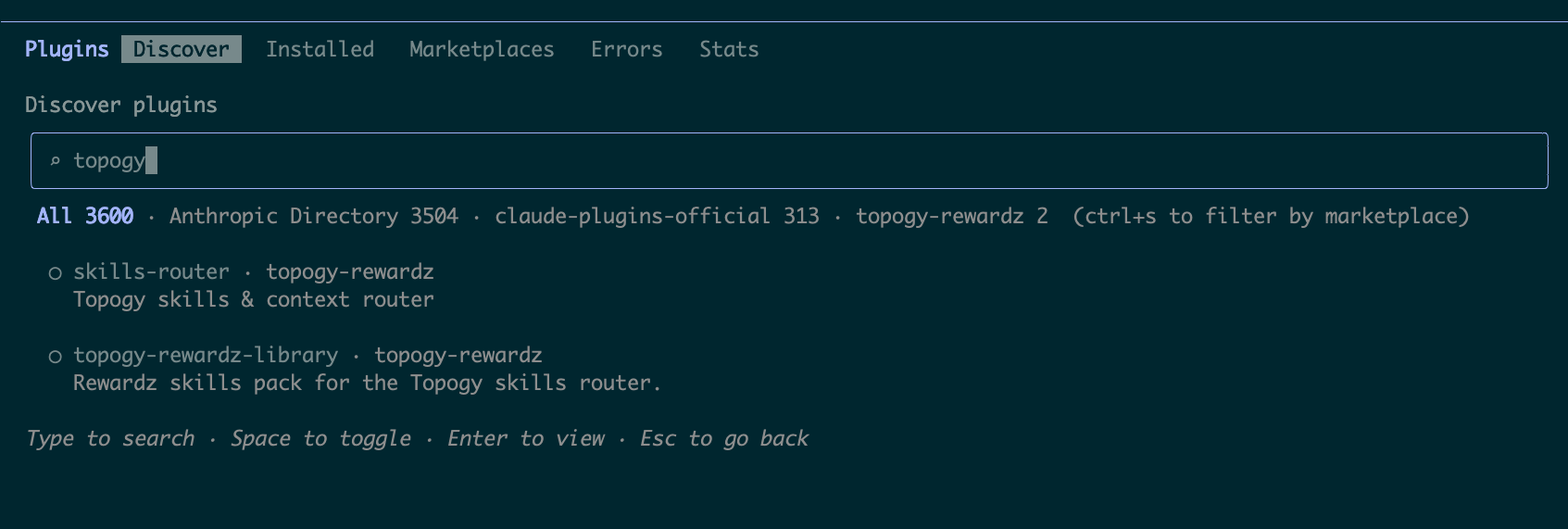
You can also use the /plugin menu instead of the second command. After adding the marketplace, open /plugin, find your library on the Discover tab, and select it:
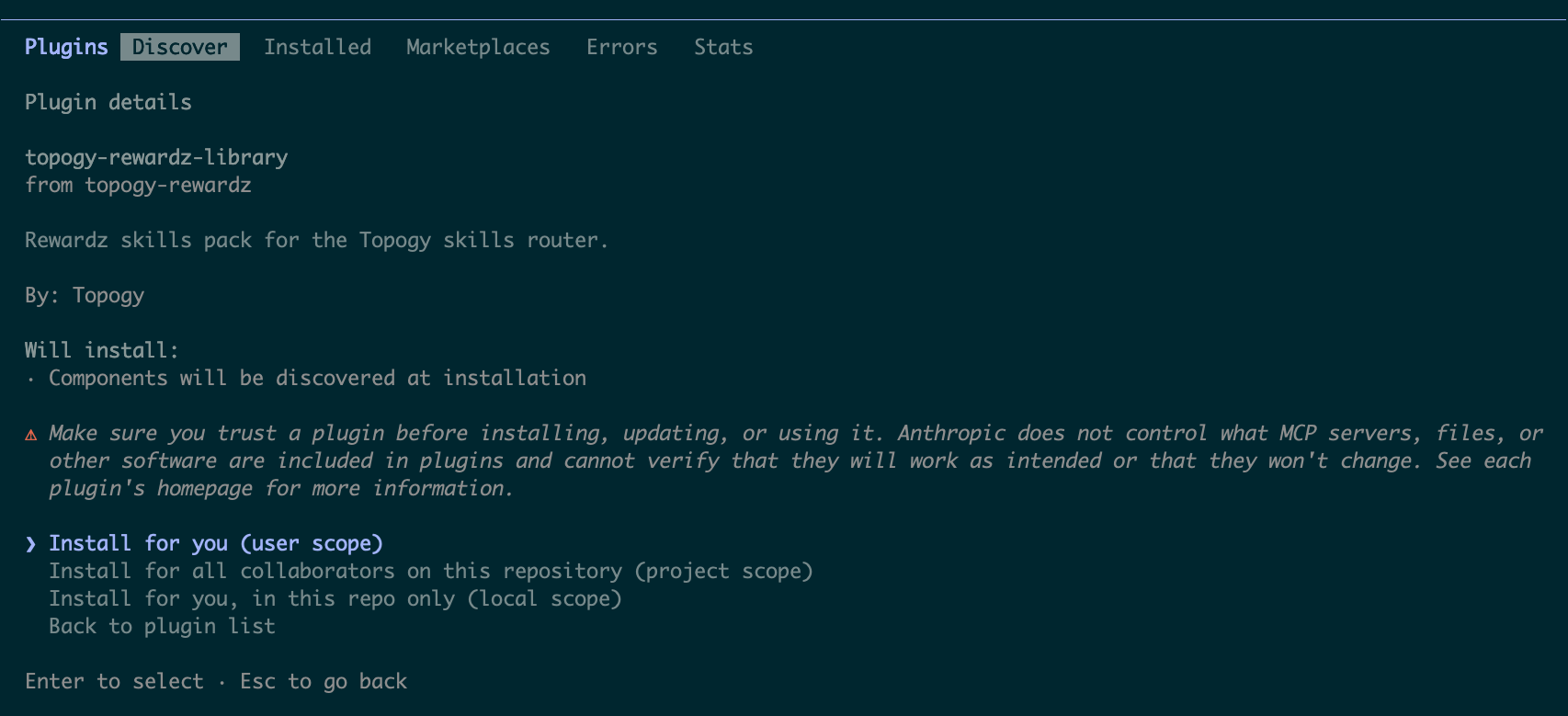
Then choose Install for you (user scope):
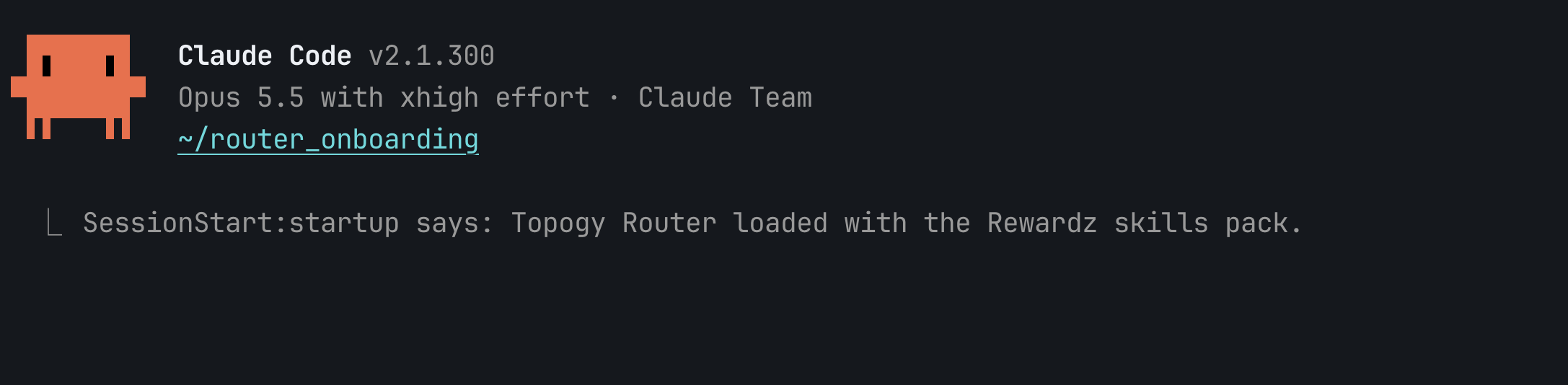
- Start a new session. At startup, the router announces your library:
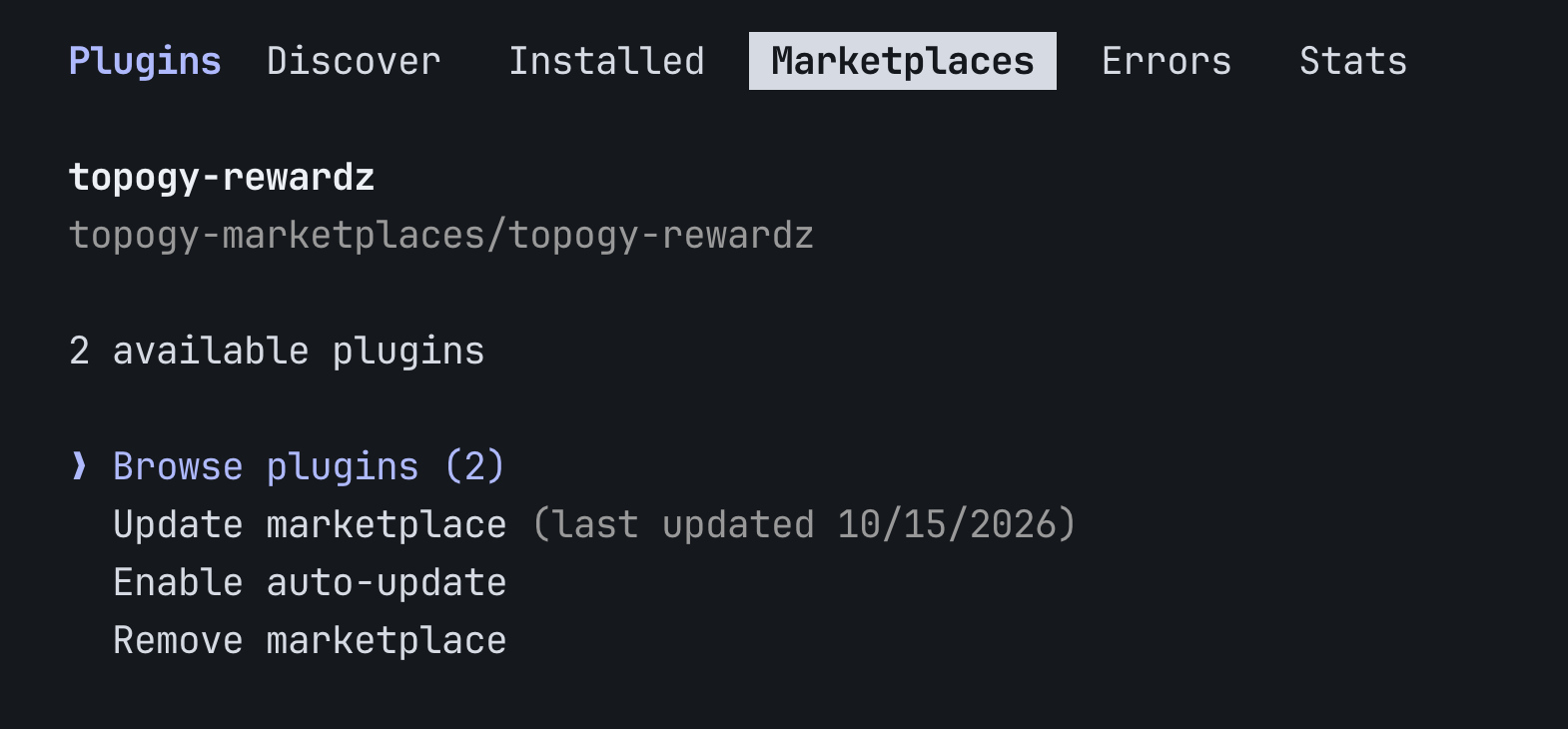
- Turn on updates. They're off by default for marketplaces you add yourself: open
/plugin, go to Marketplaces, select your organization's marketplace (its name starts withtopogy-), and choose Enable auto-update:
Install the router only from your organization's topogy- marketplace. Having it from another marketplace as well runs two copies and doubles every hook.
Staying up to date
With auto-update on, new versions of your library and the router download in the background and load the next time you start a session. To update right away, open /plugin, go to Marketplaces, select your organization's marketplace, choose Update marketplace, and start a new session.
Troubleshooting
The marketplace fails to load, or reports "repository not found". Your GitHub account can't read the repository. Confirm you accepted the topogy-marketplaces invitation, then run the git ls-remote check from Set up GitHub access.
It hangs or fails asking for a passphrase or password. Claude Code can't answer prompts. For SSH, load your key with ssh-add. For HTTPS, store your credentials with gh auth setup-git.
The router is installed but nothing happens. Check that you're on your organization's router list in the Topogy app. If you were just added, run /skills-router:check-access, then start a new session. Also check that which python3 works in the shell you launch Claude Code from. Guidance scoped to a repository applies only inside a git checkout of that repository.
The router appears twice in /hooks. Two copies are installed. Open /plugin and uninstall the one that isn't from your organization's topogy- marketplace.
For help during setup, reach out to your Topogy contact or email support@topogy.com.