Documentation
Everything you need to get started, integrate, and get the most out of Topogy.
OpenAI (Codex)
Topogy receives Codex usage telemetry directly via OpenTelemetry. Once you add a small [otel] block to each developer's Codex config, usage from the Codex CLI and the ChatGPT desktop app streams to Topogy in near real time — no agent to install and nothing to run on your side.
Setting up
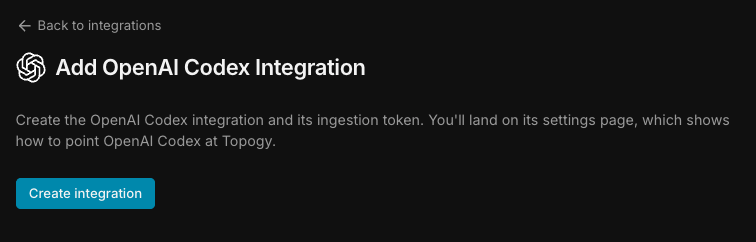
- In Topogy, go to Settings → Integrations and choose OpenAI Codex, then click Create integration. Topogy creates the integration and its ingestion token, and takes you to its settings page.
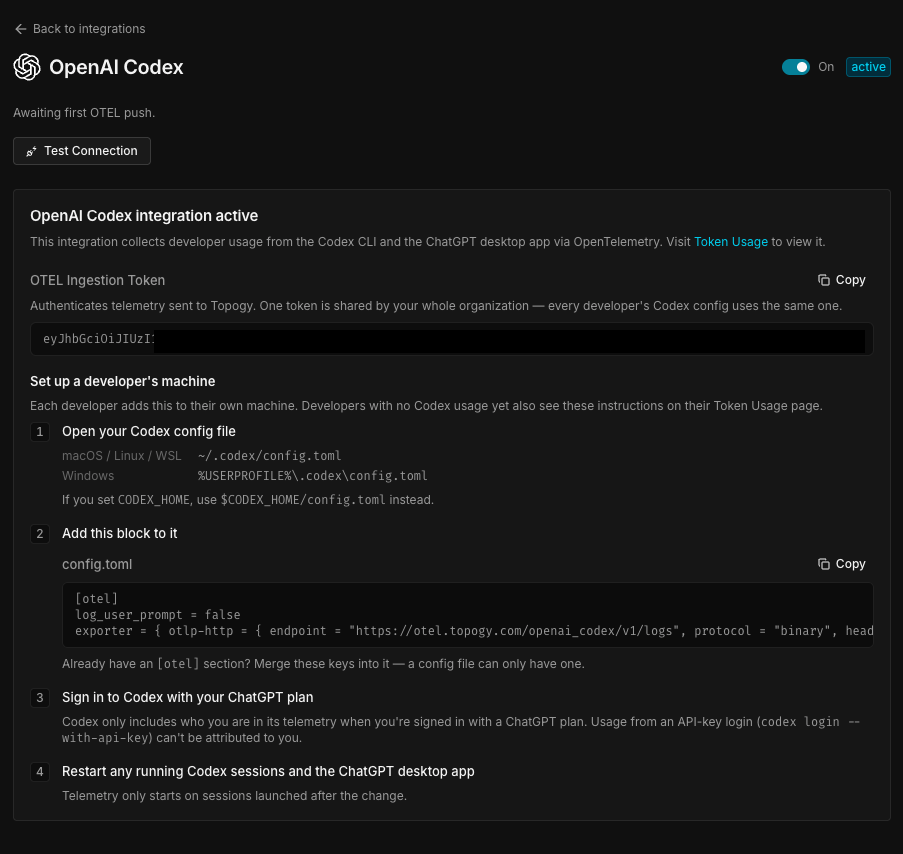
- The integration's settings page shows the OTEL ingestion token and a ready-to-paste
config.tomlsnippet. The token is shared across your whole organization — every developer's Codex config uses the same one.
-
Each developer adds the
[otel]block below to their own Codex config file (use the snippet from your integration page — it contains your organization's token):- macOS / Linux / WSL:
~/.codex/config.toml - Windows:
%USERPROFILE%\.codex\config.toml - If you set
CODEX_HOME, use$CODEX_HOME/config.tomlinstead.
toml[otel] log_user_prompt = false exporter = { otlp-http = { endpoint = "https://otel.topogy.com/openai_codex/v1/logs", protocol = "binary", headers = { "Authorization" = "Bearer <your-ingestion-token>" } } }If a config file already has an
[otel]section, merge these keys into it — a config file can only have one. - macOS / Linux / WSL:
-
Each developer signs in to Codex with their ChatGPT plan. Codex only includes who the developer is in its telemetry when they're signed in with a ChatGPT plan — usage from an API-key login (
codex login --with-api-key) can't be attributed to anyone. -
Restart any running Codex CLI sessions and the ChatGPT desktop app. Telemetry only starts on sessions launched after the change.
Treat the ingestion token like a password: it authorizes writing telemetry into your Topogy organization.
Developers who don't have any Codex usage yet see these same setup instructions on their own usage page in Topogy, so you can point them there instead of passing the snippet around.
Troubleshooting
If a developer's usage doesn't show up:
- Restart Codex. Only sessions started after
config.tomlwas edited send telemetry. - Check the email. Usage is matched to developers by email, so Codex must report the same email the developer uses to sign in to Topogy.
- Check the login type. API-key logins carry no identity, so their usage can't be attributed (see step 4).
What data Topogy receives
Codex's [otel] configuration keys are documented by OpenAI in Advanced Configuration and the Configuration Reference — refer there for the full list of exporters and telemetry controls beyond what's used above.
With the configuration above, Topogy receives Codex's log events from the Codex CLI and the ChatGPT desktop app: the developer's email, the model used, and token counts for each request. Codex doesn't report cost, so Topogy estimates it from token counts at list rates.
With log_user_prompt set to false, the text of developers' prompts is not sent. Codex's tool-call events, which can include command arguments and output, are still sent; Topogy scans them for secrets on arrival.
What Topogy does with it
Codex usage is rolled up per developer and org-wide, and appears throughout Topogy alongside usage from your other AI tools.
For help during setup, reach out to your Topogy contact or email support@topogy.com.