Documentation
Everything you need to get started, integrate, and get the most out of Topogy.
CloudFormation
CloudFormation provides a method to create the necessary IAM Roles in your Member accounts. Topogy provides a CloudFormation template to ensure your roles have the correct permissions.
CloudFormation StackSet
Create the StackSet
- Access your Management account
- Open the CloudFormation console at https://console.aws.amazon.com/cloudformation/
- Click "StackSets" in left menu
- Click "Create StackSet" button in upper right corner
Configure the template
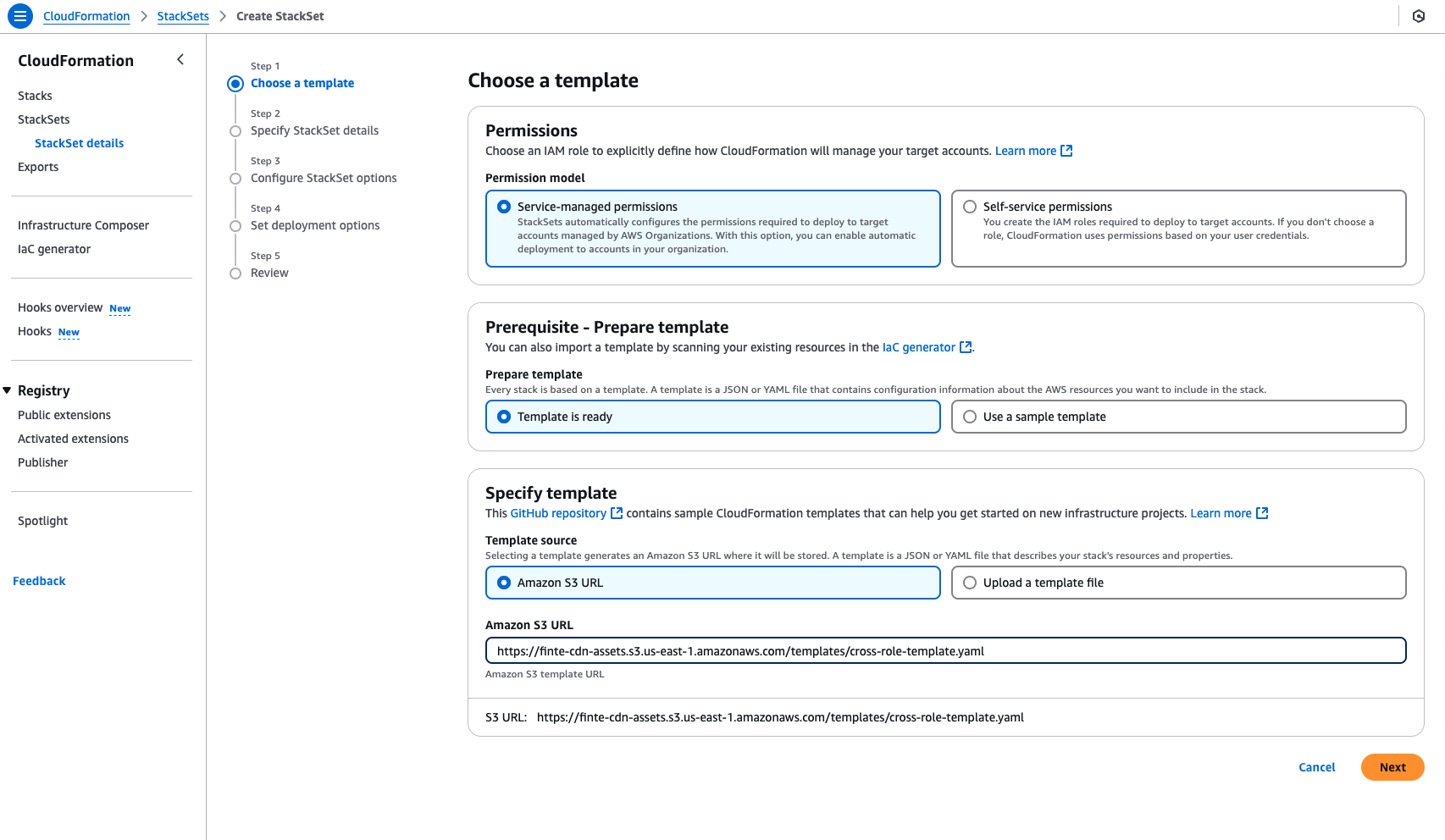
- Paste the S3 URL in the box:
https://topogy-cfn-templates.s3.us-east-1.amazonaws.com/templates/cross-role-template.yaml - Click the "Next" button
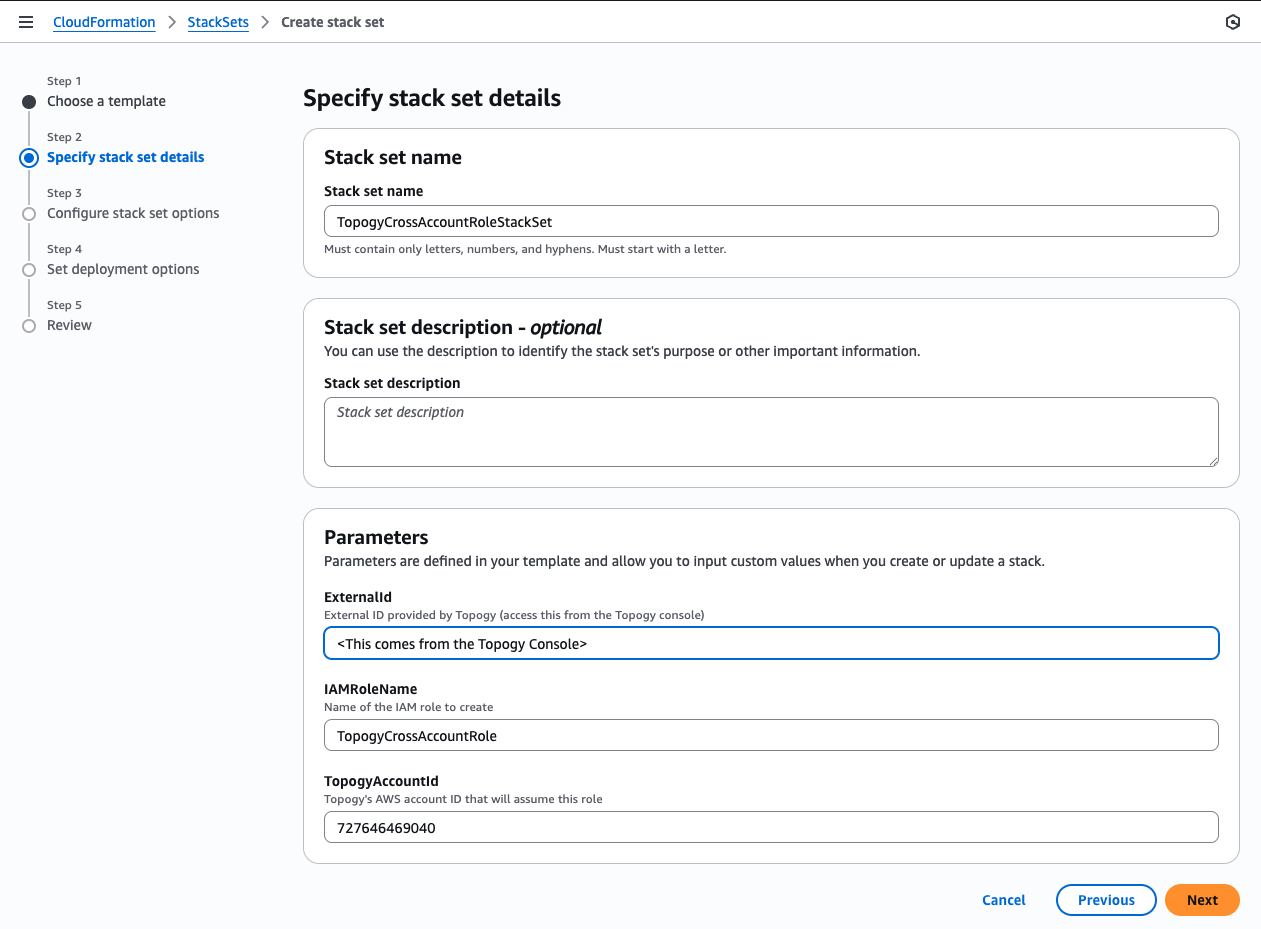
- Enter a name for your StackSet: TopogyCrossAccountRoleStackSet
- Enter your External ID:
<This comes from the Topogy console>
Deploy
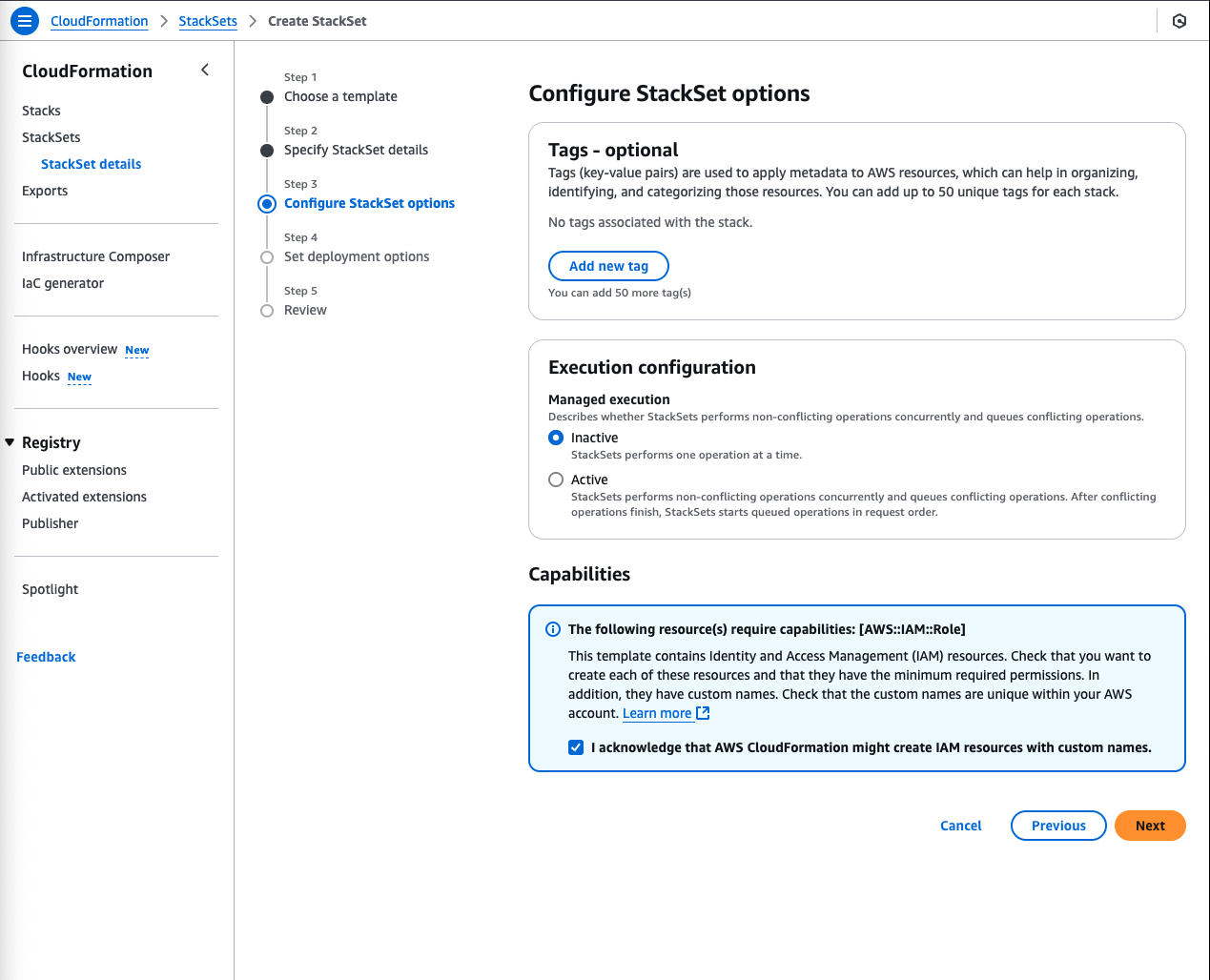
- Check the "I acknowledge that AWS CloudFormation might create IAM resources with custom names." checkbox
- Click the "Next" button
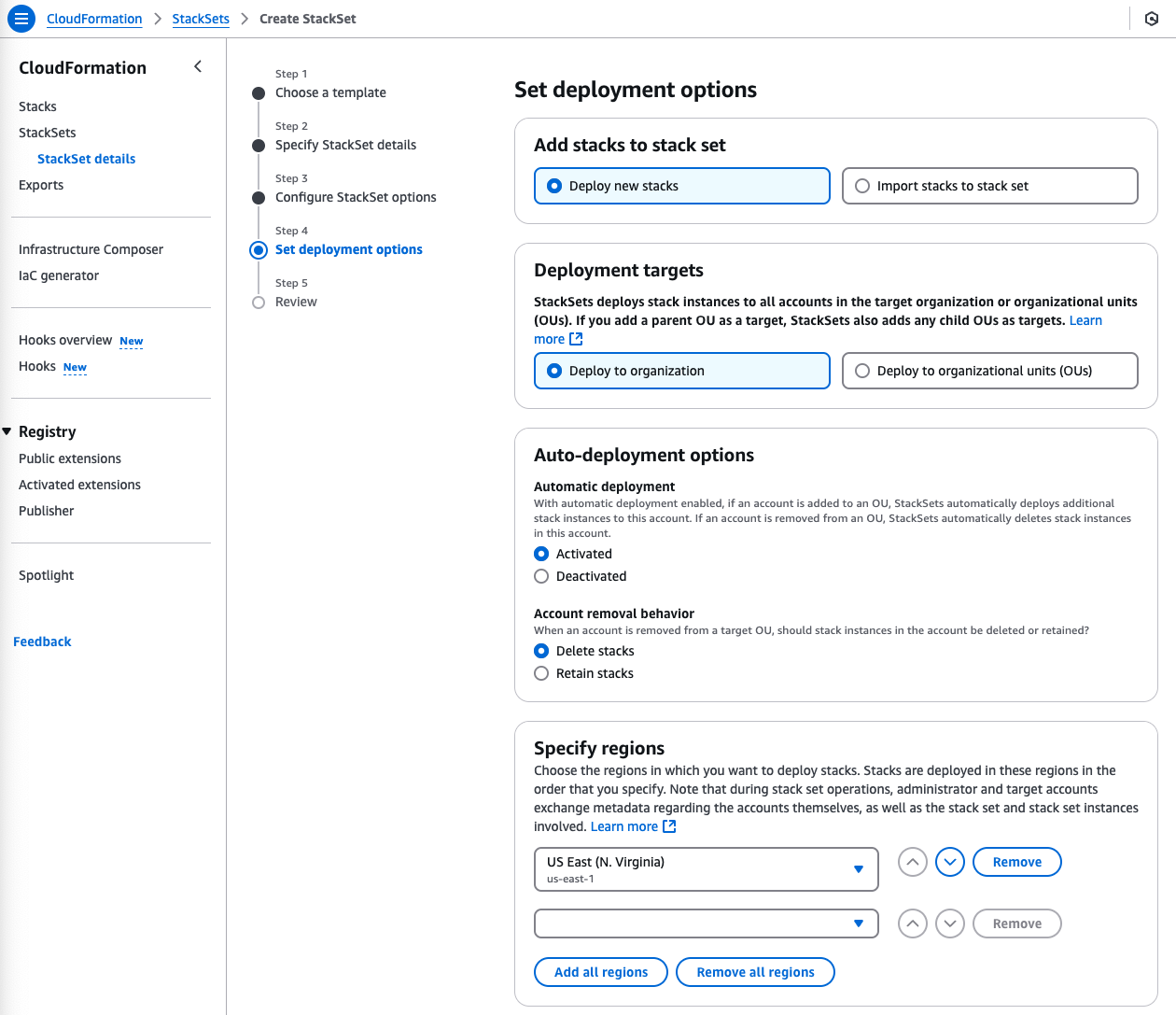
- Under "Specify regions" you will need to select the Region, even though IAM is global, so the choice is not important. We recommend you select us-east-1.
- Click the "Next" button
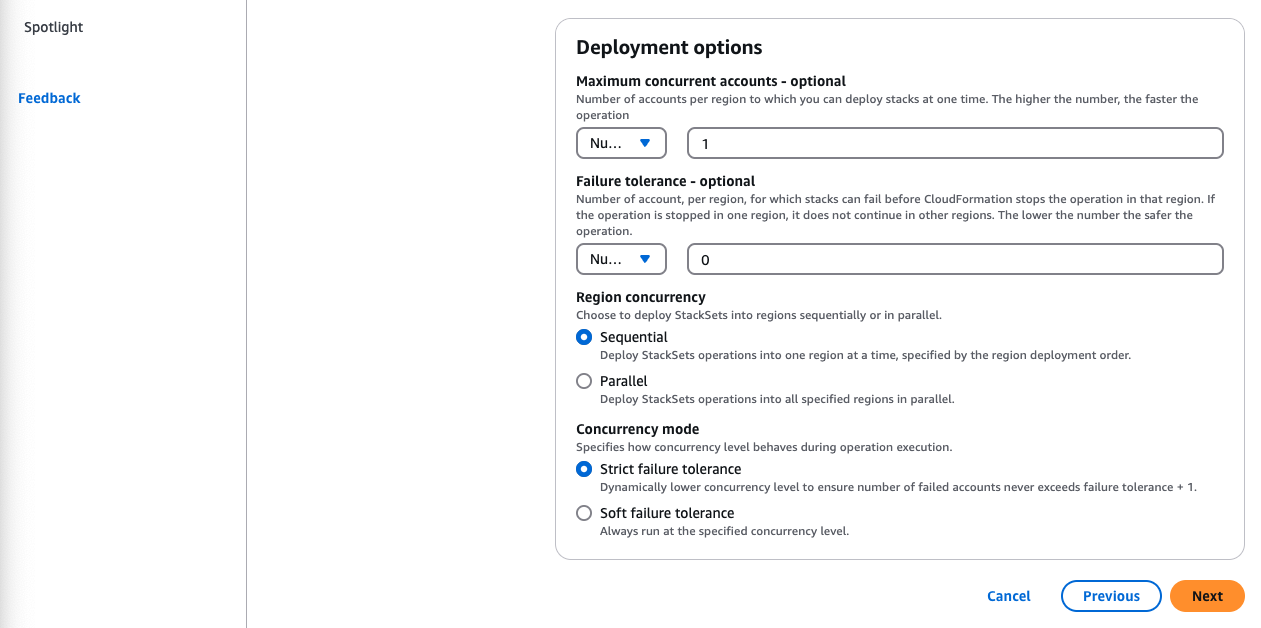
- Hit the "Submit" button
Verify
- At this point, AWS should be running your StackSet. Confirm that it completes successfully before continuing, by clicking on the "Stack Instances" tab and looking at the "Detailed status" for each account that you targeted.
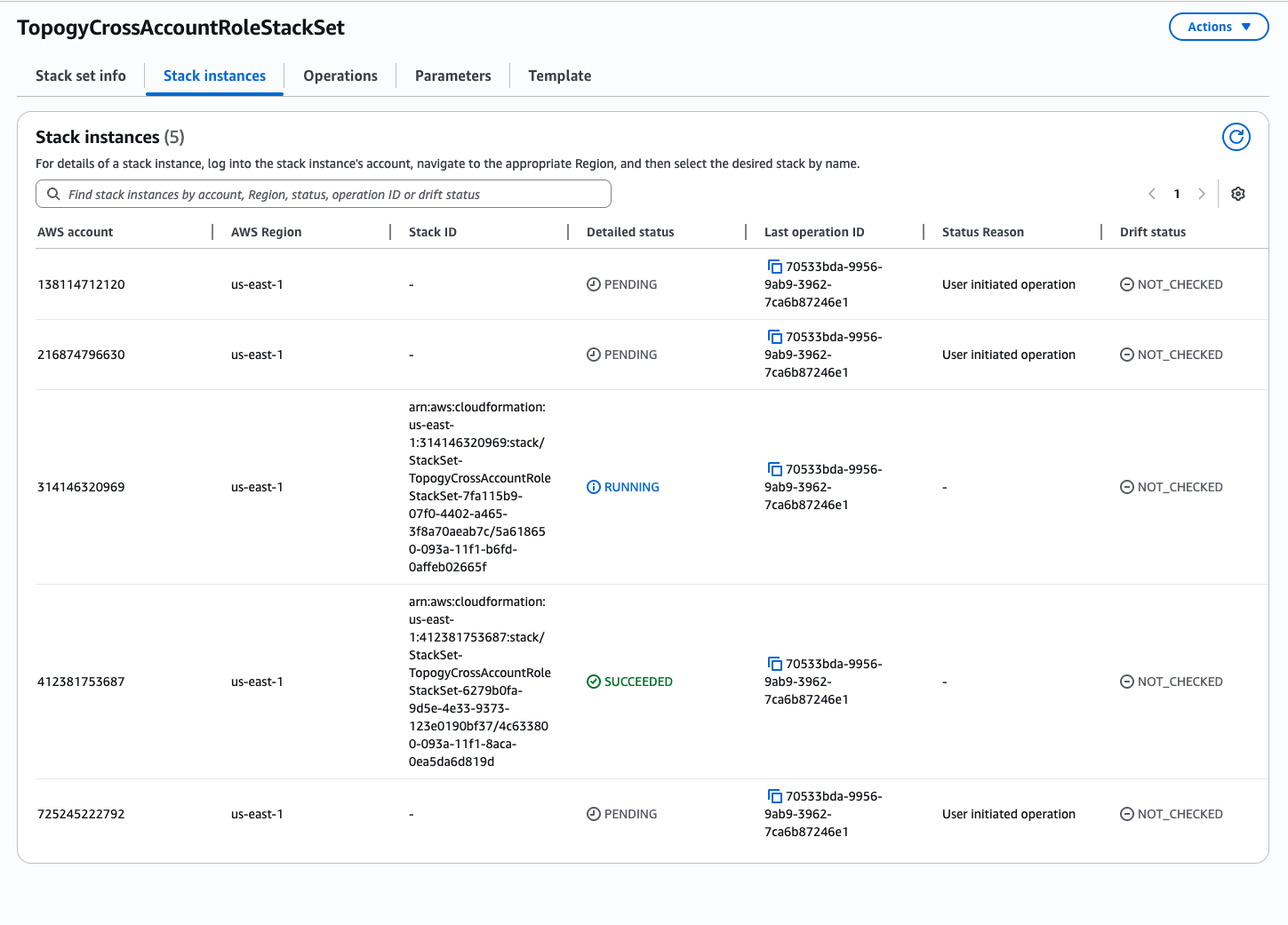
- Once the StackSet has completed, hit the "Refresh List" button in the Topogy app. If everything was successful, you should see all of your accounts connected.