Documentation
Everything you need to get started, integrate, and get the most out of Topogy.
Cost Optimization Hub
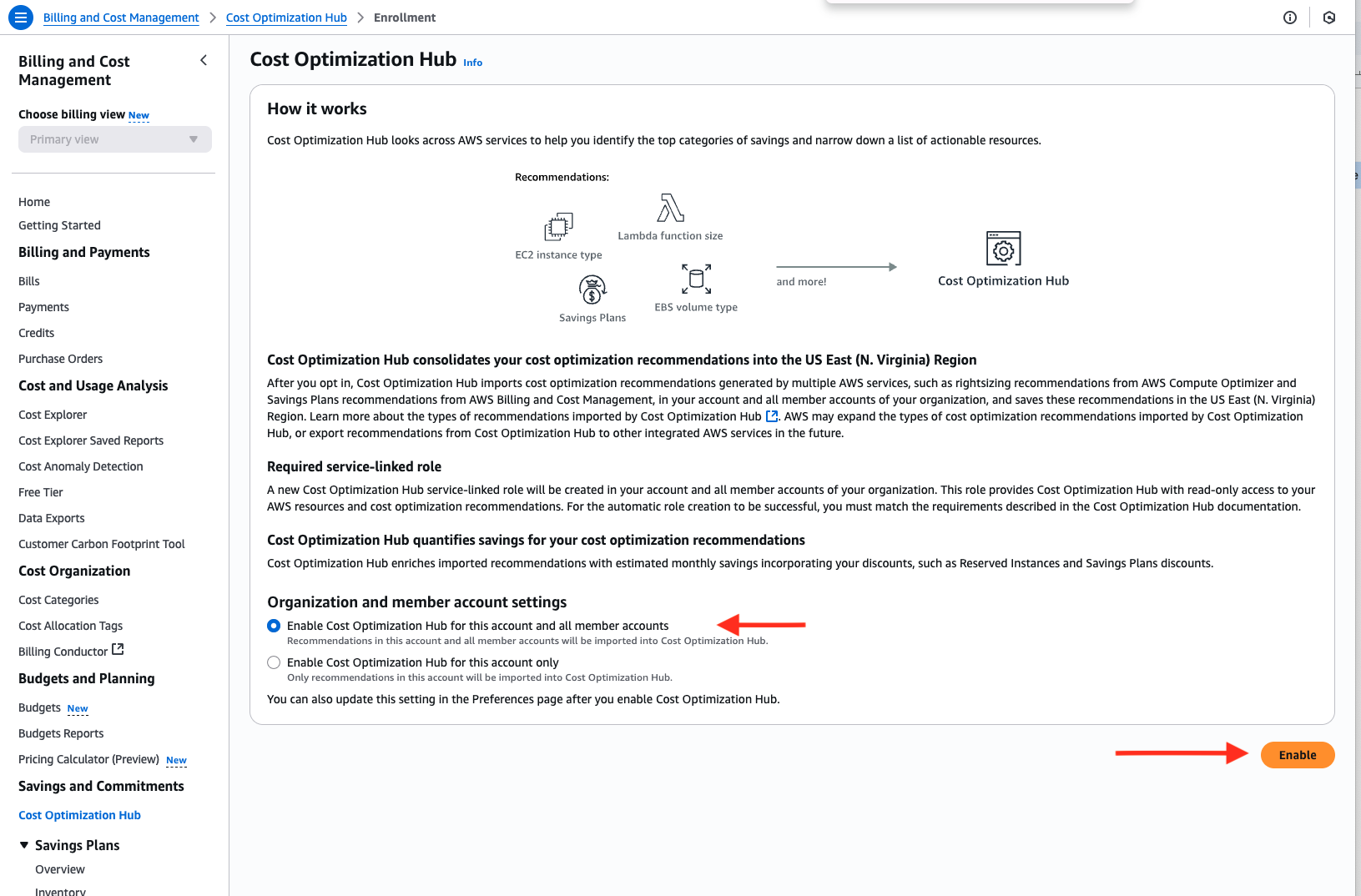
Turning on Cost Optimization Hub allows Topogy to gather additional insights into cost savings opportunities. Detailed instructions can be found under the "Enabling Cost Optimization Hub" section of the AWS documentation. It is important that you enable the Cost Optimization Hub from your Management account so that you can turn it on for all of your accounts in your organization.
Enable Cost Optimization Hub
- Access your AWS Management account
- Open the Billing and Cost Management console at https://console.aws.amazon.com/costmanagement/
- Click on the link labeled "Cost Optimization Hub" found in the left navigation panel
- Leave the "Enable Cost Optimization Hub for this account and all member accounts" option selected
- Click the "Enable" button