Documentation
Everything you need to get started, integrate, and get the most out of Topogy.
New Billing BigQuery Project
GCP enables access to billing and usage data by inserting it into a BigQuery table owned by your organization. The recommended method for this is to create a separate project for this for a given billing account. If you already have such a project, you can skip to Billing Export to ensure that you have data exporting from your billing account to the table.
Create a new project
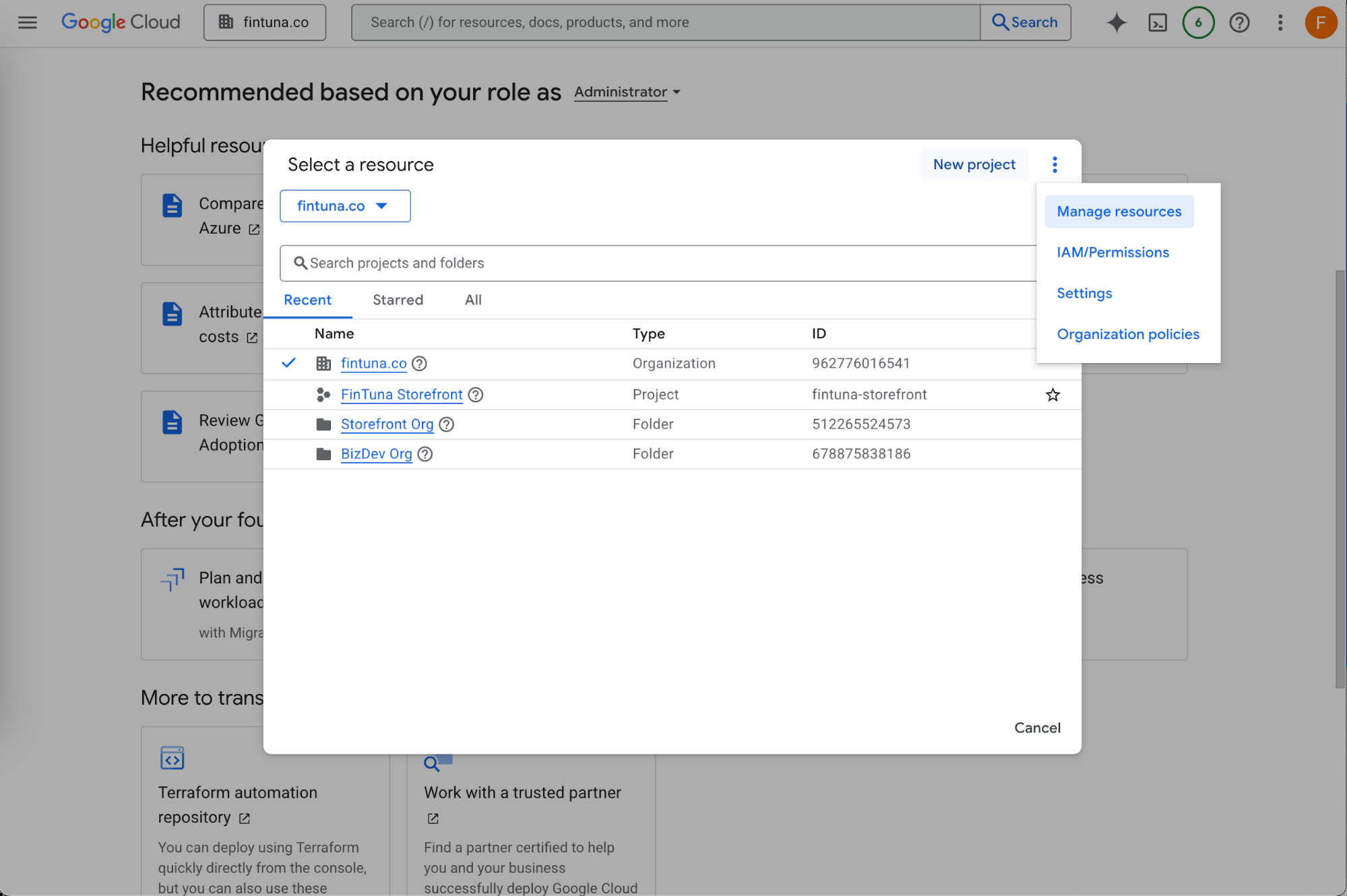
First create a new project to house this data. Open the resource navigator and click "+ New Project"
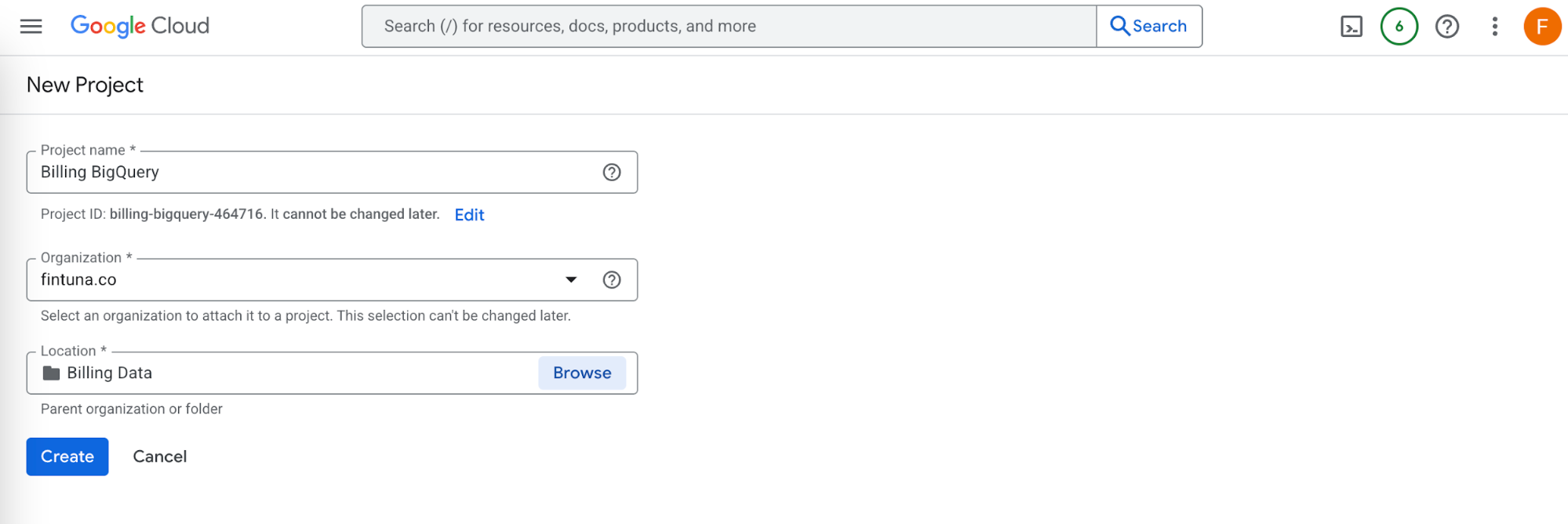
Give it a name something like "Billing BigQuery". Optionally put it in an appropriate folder in your organization, then click Create
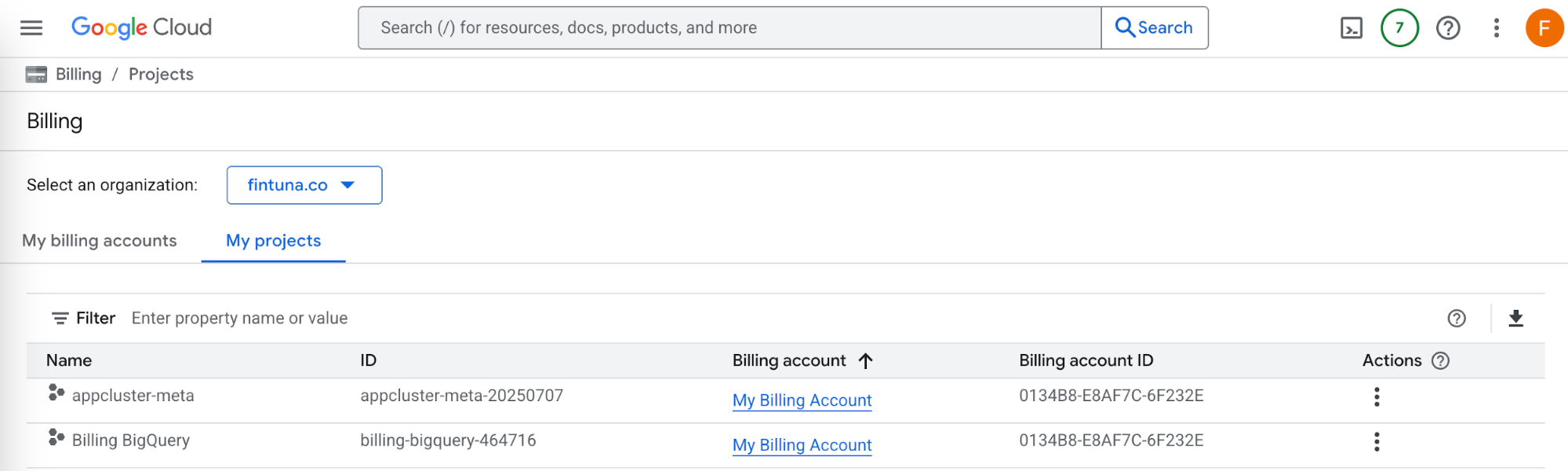
If you have multiple billing accounts, verify that the correct billing account has been attached to the project using this link
Configure BigQuery
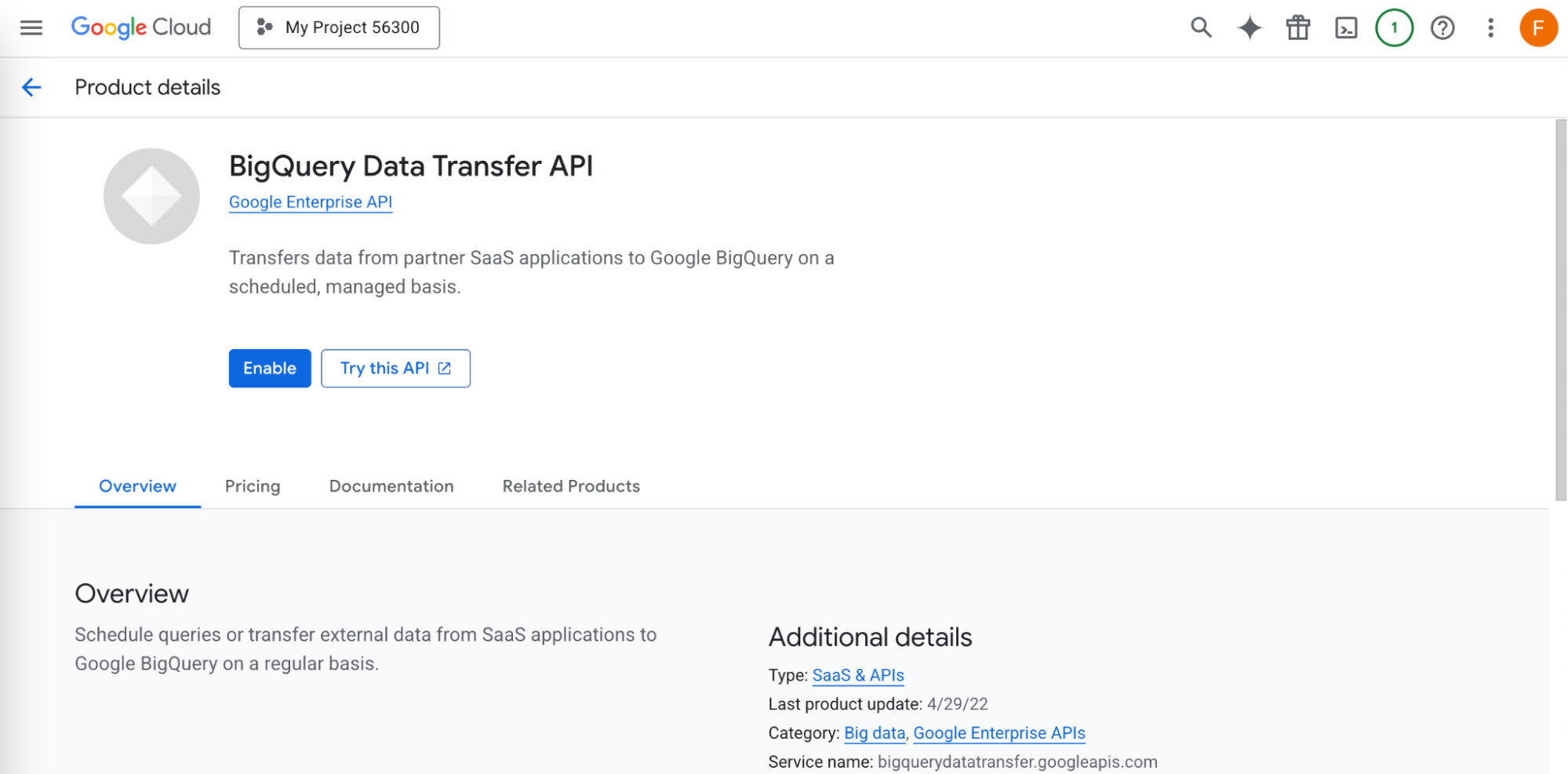
Turn on the BigQuery Data Transfer API in your new Billing BigQuery project using this link
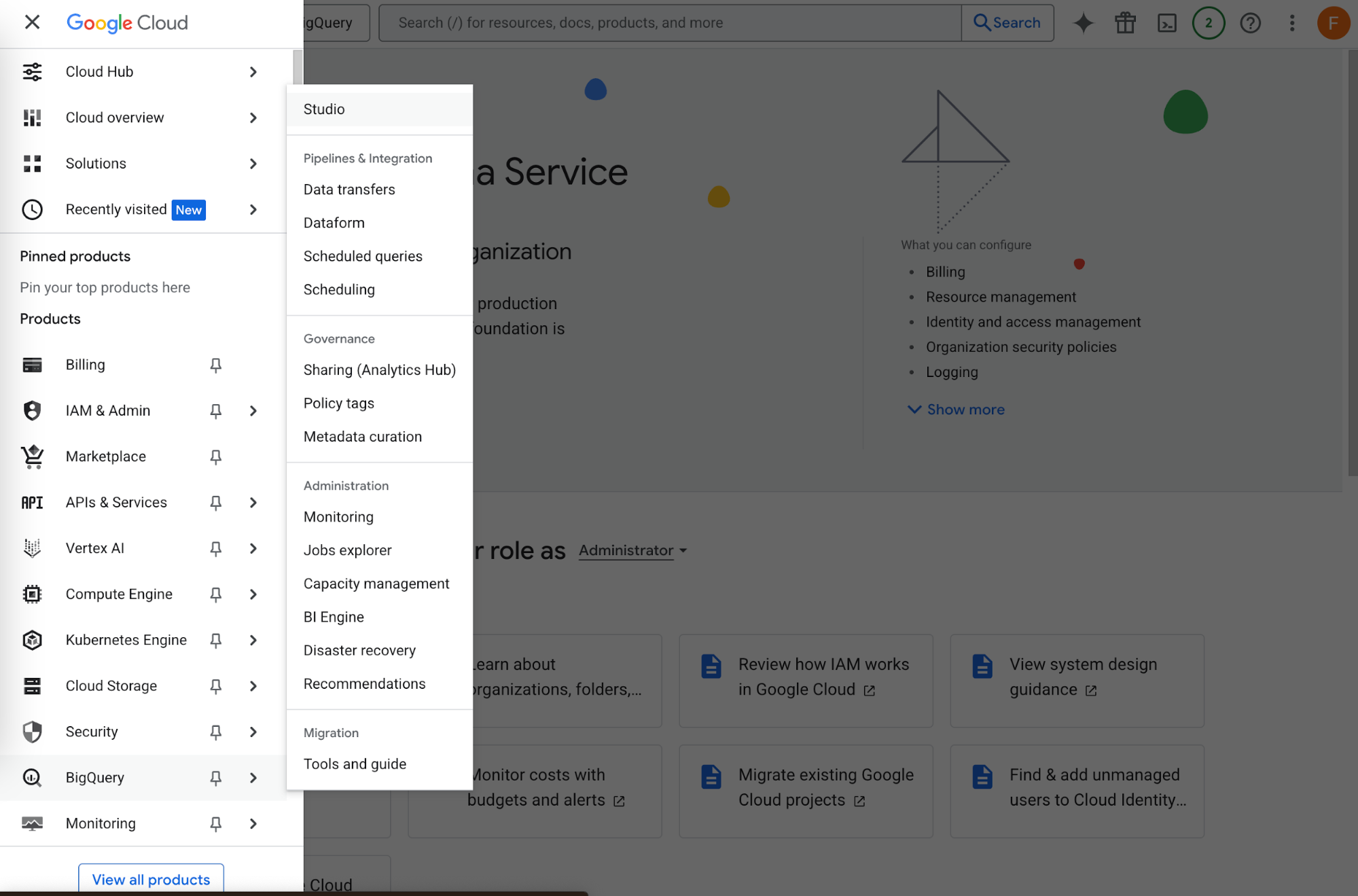
Now open the BigQuery Studio from the navigation menu, or with this link
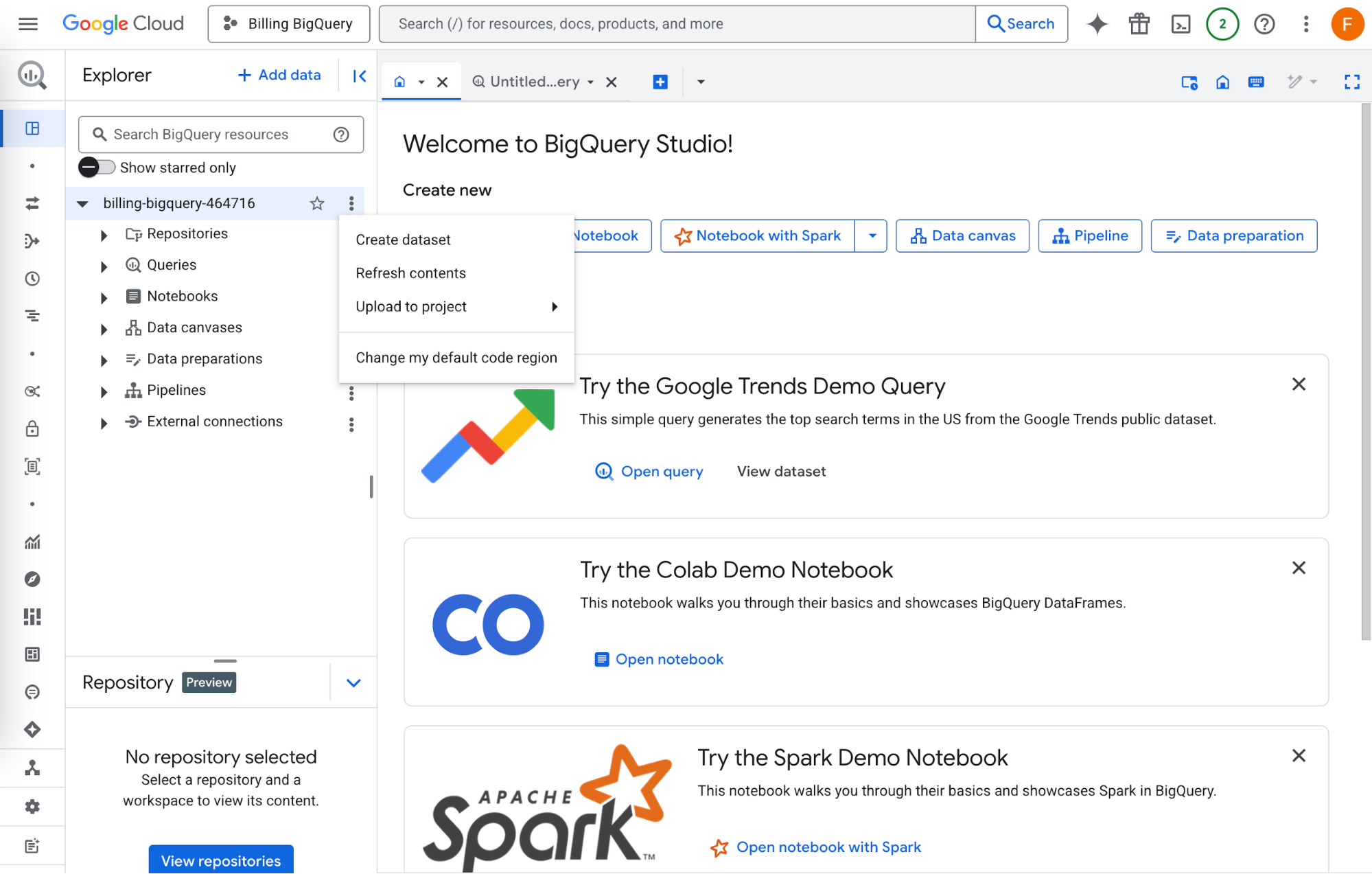
You should see your BigQuery Studio open for your project. Click the three dots next to your project, and then Create dataset
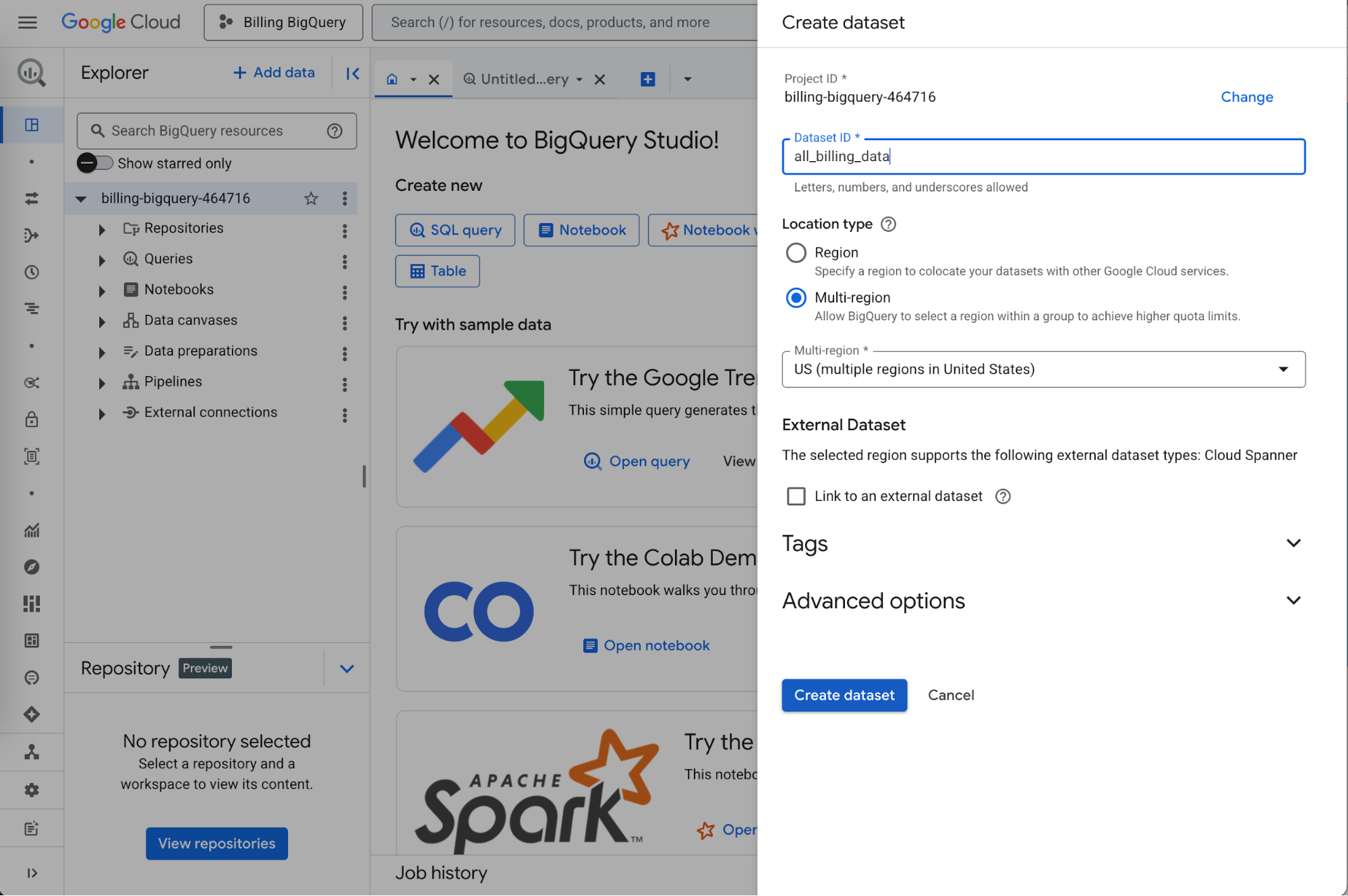
In the pane, give the dataset a name like "all_billing_data". Ensure the correct multi-region is set - likely US (multiple regions in United States), then click "Create dataset"
Next step: Export billing to this dataset